XML Sitemap Generator
Paste a list of URLs and generate a valid sitemap.xml with lastmod, changefreq and priority · free, no signup
How XML Sitemap Generator works, step by step
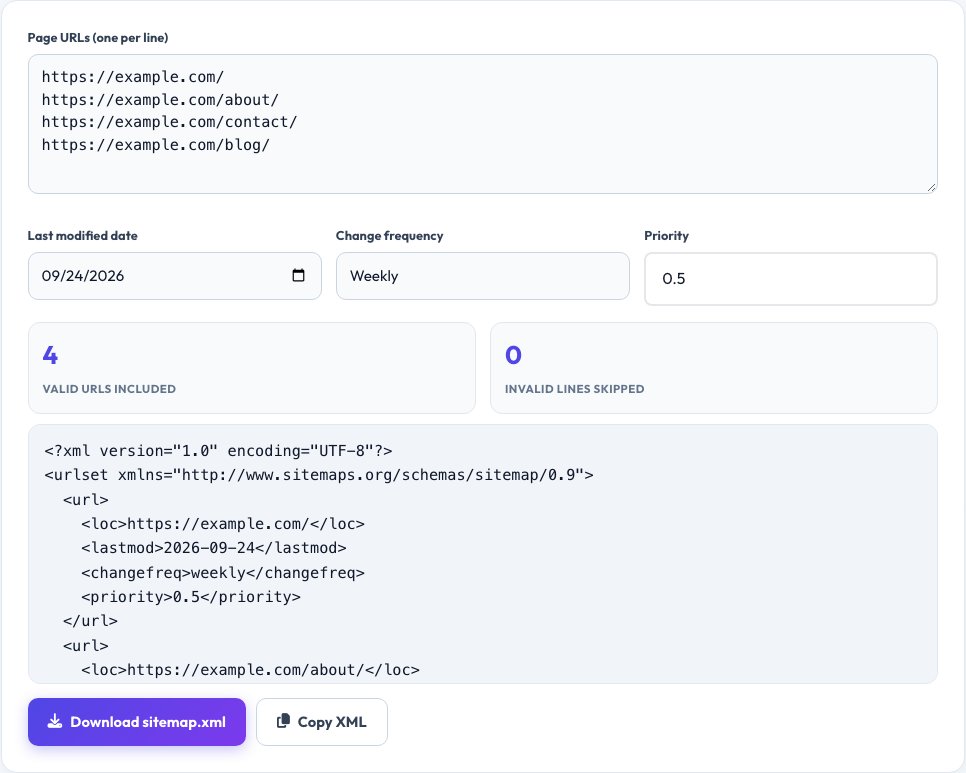
Paste your page URLs, one per line.
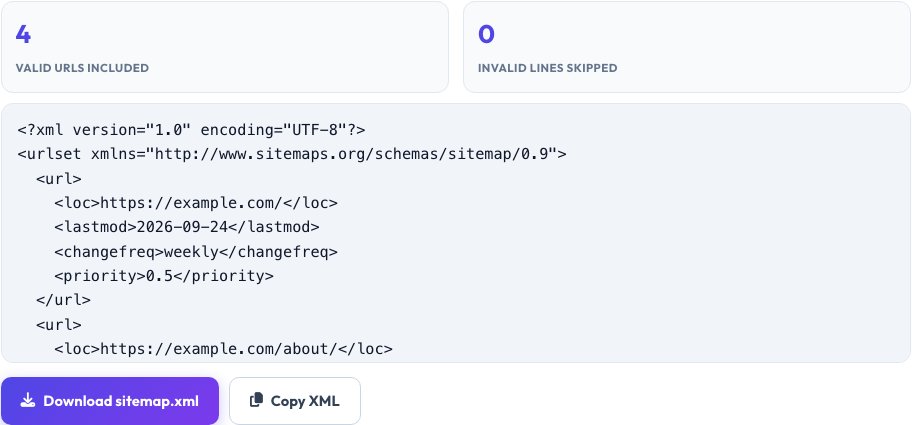 Download it
Set a last-modified date, change frequency and priority.
Free XML Sitemap Generator
A sitemap.xml file lists every page you want search engines to know about, in the exact XML structure defined by the sitemaps.org protocol — a <code><urlset></code> containing one <code><url></code> entry per page, each with a <code><loc></code> (the URL), and optionally a <code><lastmod></code> date, a <code><changefreq></code> hint and a <code><priority></code> value. Paste your list of page URLs, one per line, set a last-modified date and default changefreq/priority, and this tool builds a real, spec-valid sitemap.xml instantly.
Every URL is checked as it's added: it must be a well-formed absolute URL starting with http:// or https://, since relative paths are not valid in a sitemap. Invalid lines are flagged clearly so you can fix them before downloading, rather than shipping a broken sitemap to Google Search Console.
Key features
Real sitemaps.org protocol output
Valid XML structure search engines actually parse, not just a URL list.
Per-field control
Set lastmod, changefreq and priority for the whole batch.
Invalid URL detection
Flags lines that aren't well-formed absolute URLs before you download.
Instant download
Get a ready-to-upload sitemap.xml file in one click.
How to use it
- Paste your page URLs, one per line.
- Set a last-modified date, change frequency and priority.
- Review any flagged invalid lines.
- Download sitemap.xml and upload it to your site's root.
Worked example
Example
https://example.com/
https://example.com/about/
https://example.com/contact/ -> a sitemap.xml with 3 <url> entries, each carrying the lastmod date and changefreq/priority you set.
Who uses this tool
Site owners without a CMS-generated sitemap
Build a valid sitemap by hand for a small static site.
Developers testing search indexing
Quickly produce a sitemap for a staging or new site before launch.
SEO practitioners
Rebuild a sitemap manually when a CMS plugin produces a broken one.
Tips for the best results
- List only canonical, indexable URLs — don't include pages blocked by robots.txt or marked noindex, since that sends search engines conflicting signals.
- A single sitemap file is limited to 50,000 URLs by the protocol; split larger sites into multiple sitemap files with a sitemap index if you exceed that.
- Priority is a relative hint between your own pages (0.0-1.0), not a promise of ranking — most sites can leave it at a flat default without any real SEO cost.
- After uploading, submit the sitemap URL in Google Search Console and Bing Webmaster Tools so it's actually crawled.
Common mistakes to avoid
- Including non-canonical, redirecting or 404 URLs in the sitemap, which wastes crawl budget and can trigger Search Console errors.
- Using relative paths instead of full absolute URLs — the protocol requires the complete https://... address.
- Setting every priority to 1.0, which defeats the purpose of the field (it's relative, so if everything is highest priority nothing effectively is).
Why use AZRS QuickFix?
It is 100% free, needs no signup and has no watermark or usage limits. The tool runs in your browser, so what you type stays on your device, and it works on phones, tablets and desktops. New tools are added every week — bookmark this page or browse the full QuickFix toolbox.
Frequently asked questions
What is a sitemap.xml file for?
It gives search engines a direct list of your pages to help them find and crawl content efficiently, especially pages that are hard to discover through internal links alone.
Is priority in a sitemap a ranking factor?
No — Google has stated priority is treated only as a weak relative hint between your own pages, not a ranking signal.
What's the maximum sitemap size?
50,000 URLs or 50MB uncompressed per sitemap file, per the sitemaps.org protocol; larger sites use multiple sitemap files listed in a sitemap index file.
Do I need a separate sitemap for images or news?
Those use specialized sitemap extensions with additional tags; this tool generates the standard page sitemap format used for regular pages.
Where do I upload the file?
Typically to your site's root directory (e.g. https://example.com/sitemap.xml), then submit that URL in Google Search Console and Bing Webmaster Tools.
Is my URL list sent anywhere?
No, the XML is built entirely in your browser.