Robots.txt Generator
Create a robots.txt file for your website · free, no signup
How Robots.txt Generator works, step by step
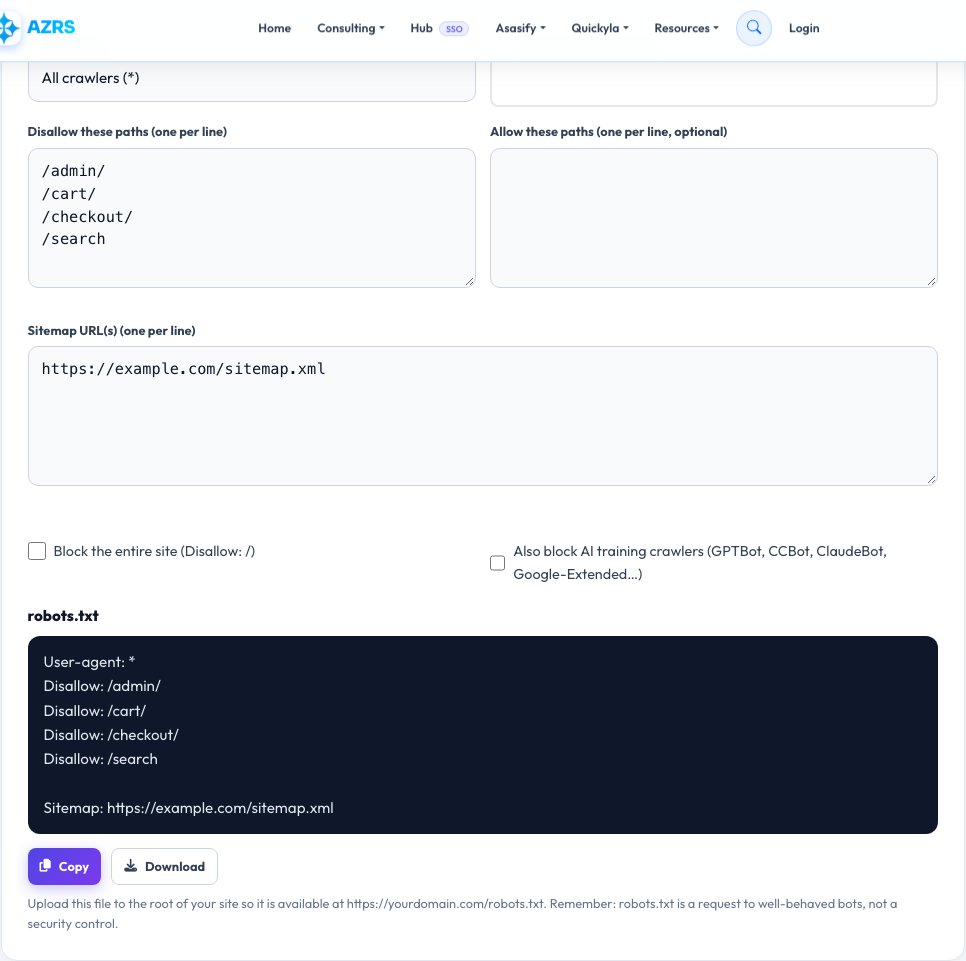
Choose the user-agent (all bots or a specific one).
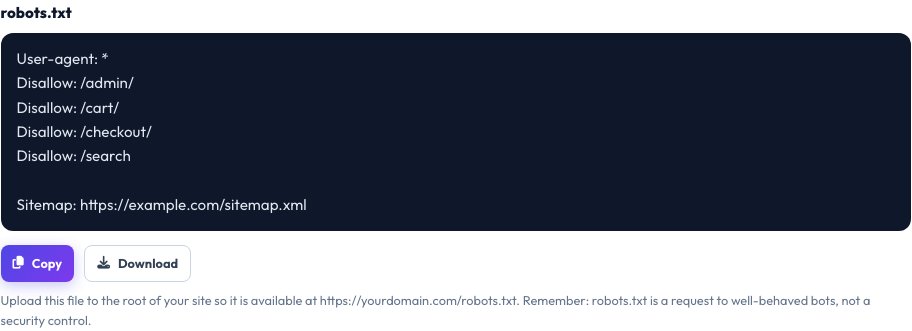 Download it
List paths to disallow and allow.
Free Robots.txt Generator — Control How Search Engines Crawl Your Site
A robots.txt file sits at the root of your website and tells crawlers which pages or folders they may or may not fetch. A well-made file keeps crawlers away from admin pages, search results and duplicate content, saves crawl budget for the pages that matter and points bots to your XML sitemap.
Pick which crawlers the rules apply to, list the paths to allow or disallow, add your sitemap URL and an optional crawl delay, and choose whether to block popular AI training crawlers. The generator writes a valid robots.txt you can copy or download and upload to your site’s root. Remember that robots.txt is a request to well-behaved bots, not a security measure.
Key features
Simple rule builder
Allow and disallow paths for all or specific crawlers.
Sitemap line
Adds your sitemap URL correctly.
AI crawler blocking
Optionally disallow GPTBot, CCBot and other AI crawlers.
Copy or download
Ready to upload as robots.txt.
How to use it
- Choose the user-agent (all bots or a specific one).
- List paths to disallow and allow.
- Add your sitemap URL.
- Copy or download the file and upload it to your site root.
Worked example
Example
User-agent: *
Disallow: /admin/
Disallow: /cart/

Sitemap: https://example.com/sitemap.xml
Who uses this tool
SEO professionals
Manage crawl budget on large sites.
Website owners
Keep private and duplicate pages out of search.
Developers
Ship a correct robots.txt with every launch.
Tips for the best results
- Place the file at https://yourdomain.com/robots.txt.
- Never block CSS and JavaScript files that Google needs to render pages.
- Use noindex, not robots.txt, to remove pages from search results.
- Test your file after uploading.
Common mistakes to avoid
- Blocking the whole site with Disallow: / by accident.
- Thinking robots.txt hides sensitive pages — it is publicly readable.
- Blocking a page that also carries a noindex tag, so Google never sees it.
Why use AZRS QuickFix?
It is 100% free, needs no signup and has no watermark or usage limits. The tool runs in your browser, so what you type stays on your device, and it works on phones, tablets and desktops. New tools are added every week — bookmark this page or browse the full QuickFix toolbox.
Frequently asked questions
What is robots.txt?
A text file that tells search engine crawlers which parts of a site they may crawl.
Where do I put it?
In the root directory of your domain.
Does robots.txt stop pages appearing in Google?
Not always. Blocked pages can still be indexed if linked elsewhere; use noindex to remove them.
Should I block AI crawlers?
It is your choice; many sites now disallow AI training bots.
What does Disallow: / do?
It blocks the entire site for the chosen crawler.
Is it free?
Yes.