Ping Test (Latency to Game & Cloud Servers)
Measure your ping, jitter and packet loss to servers around the world · free, no signup
| Server / region | Ping (min) | Average | Jitter | Loss |
|---|
See Ping Test (Latency to Game & Cloud Servers) in action
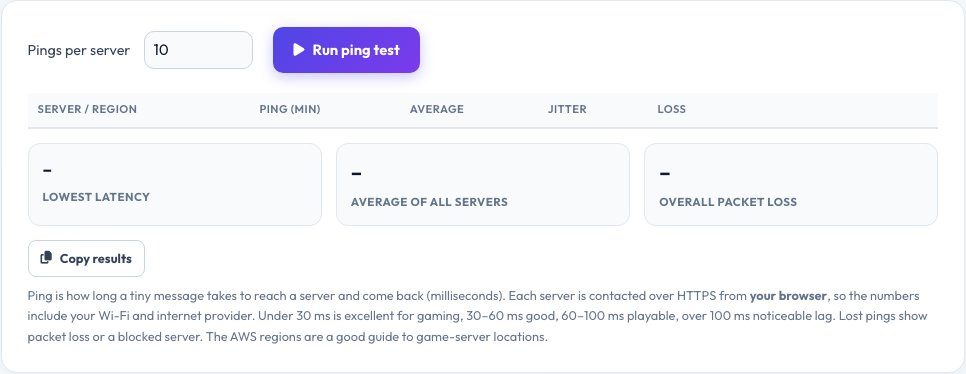
Ping Test — Latency, Jitter and Packet Loss to Servers Around the World
Ping is the time in milliseconds for a tiny message to travel from your device to a server and back. It is the number that decides whether an online game feels instant or laggy, and whether a video call is smooth. This ping test measures it against 12 servers at once — Cloudflare's nearest edge, Google and ten AWS regions across North America, Europe, Asia, Australia, South America and the Middle East.
For each server you get the lowest ping, average, jitter (how much it varies) and packet loss, ranked from fastest to slowest with a colour-coded bar. The regions are useful for choosing a game or VPN server location: the region with the lowest ping is the best place to play. Requests are sent from your browser over HTTPS, so the result includes your Wi-Fi and your internet provider.
Key features
12 servers at once
Cloudflare, Google and 10 AWS regions worldwide.
Ping, jitter, loss
Minimum, average, variation and lost pings.
Ranked and colour-coded
Best region first, clear good-to-bad colours.
Choose 5, 10 or 20 pings
Faster or more accurate tests.
How to use it
- Close streaming and downloads.
- Pick how many pings per server and click Run ping test.
- Wait while all servers are tested.
- Read the lowest ping, jitter and loss, and copy the results.
Worked example
Example
Cloudflare 9 ms · AWS Frankfurt 34 ms · AWS Tokyo 210 ms · loss 0% → excellent for European servers.
Who uses this tool
Gamers
Pick the best game-server region and see your lag.
Remote workers
Check call quality and stability.
VPN and cloud users
Find the fastest region for a server or VPN.
Tips for the best results
- Use a cable (Ethernet) for stable results.
- Check jitter as well as ping — a spiky connection feels worse than a slightly higher steady one.
- Run several times at different hours.
- If loss is above 1–2%, check Wi-Fi signal and your router.
Common mistakes to avoid
- Testing over weak Wi-Fi or with a download running.
- Judging by one ping instead of the average and jitter.
- Choosing a game server on another continent.
Why use AZRS QuickFix?
It is 100% free, needs no signup and has no watermark or usage limits. The tool runs in your browser, so what you type stays on your device, and it works on phones, tablets and desktops. New tools are added every week — bookmark this page or browse the full QuickFix toolbox.
Frequently asked questions
What is a good ping?
Below 30 ms is excellent, 30–60 ms is good, 60–100 ms is playable and above 100 ms brings noticeable lag.
What is jitter?
The variation between pings. High jitter causes stutter even when the average ping is low.
What is packet loss?
Pings that never get an answer. Any sustained loss hurts games and calls.
Why do the numbers differ from a command-line ping?
This uses HTTPS requests from the browser, which include some extra overhead — but rankings between regions stay meaningful.
Which region should I choose for gaming?
The one with the lowest ping, usually the nearest.
Does it use much data?
Very little — only tiny requests.