Basketball Shot Counter (Camera)
Counts your shooting motions and checks your follow-through · free, no signup
Voice & sounds
See Basketball Shot Counter (Camera) in action
Basketball Shot Counter (Camera)
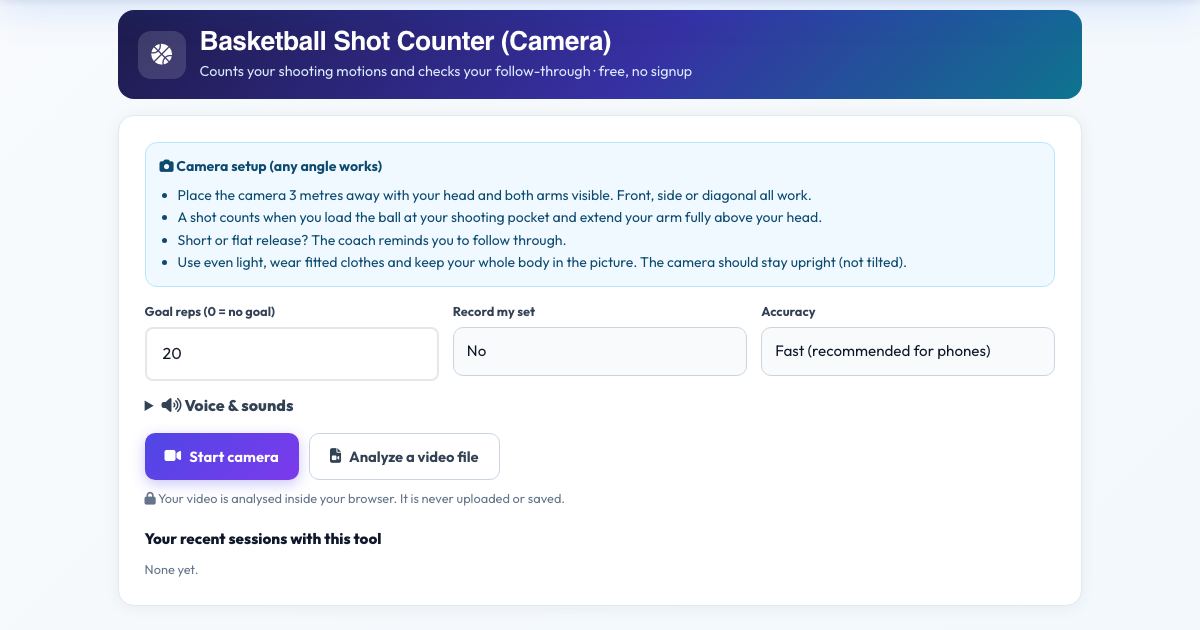
Practice your jump shot or free throw and the camera counts every shooting motion: ball loaded at the shooting pocket, then your arm fully extended above your head. If you cut the follow-through short, the coach tells you to extend fully.
It tracks the arm in 3D from any angle. Use it to hit shot-volume goals, build consistent form and keep a record of your sessions.
Key features
Counts shooting motions
Load, extend and release.
Follow-through reminders
Full extension cue.
Any camera angle
Front, side or diagonal.
Voice counting
Hands-free.
Private
No upload.
How to use it
- Place the camera 3 metres away with your head and both arms visible.
- Press Start camera.
- Shoot. Each full motion counts.
- Press Finish & save.
Worked example
Example
Goal 50 free throws: the counter shows 50 shots and flagged 6 short follow-throughs.
Who uses this tool
Players of all levels
Track shot volume.
Coaches
Practice logs.
Parents
Support home practice.
Tips for the best results
- Keep your elbow under the ball.
- Count only game-speed shots.
Common mistakes to avoid
- Catching the ball too low so the arm is hidden.
Why use AZRS QuickFix?
It is 100% free, needs no signup and has no watermark or usage limits. The tool runs in your browser, so what you type stays on your device, and it works on phones, tablets and desktops. New tools are added every week — bookmark this page or browse the full QuickFix toolbox.
Frequently asked questions
Does it know if the shot went in?
No. It counts shooting motions and checks your arm extension, not the ball.
Does it work from any camera angle?
Yes. Joint angles are measured in 3D, so front, side and diagonal views give the same readings. Keep the camera upright and your whole body in the picture.
Is my video uploaded?
No. The pose detection runs inside your browser. Nothing is recorded, uploaded or stored unless you choose to save a replay on your own device.
Is it free and private?
Yes. It is free with no signup. Everything runs in your browser and anything saved stays on your own device.