Desk Posture Checker (Camera)
Webcam watches your posture and reminds you to sit up and stretch · free, no signup
Voice & sounds
See Desk Posture Checker (Camera) in action
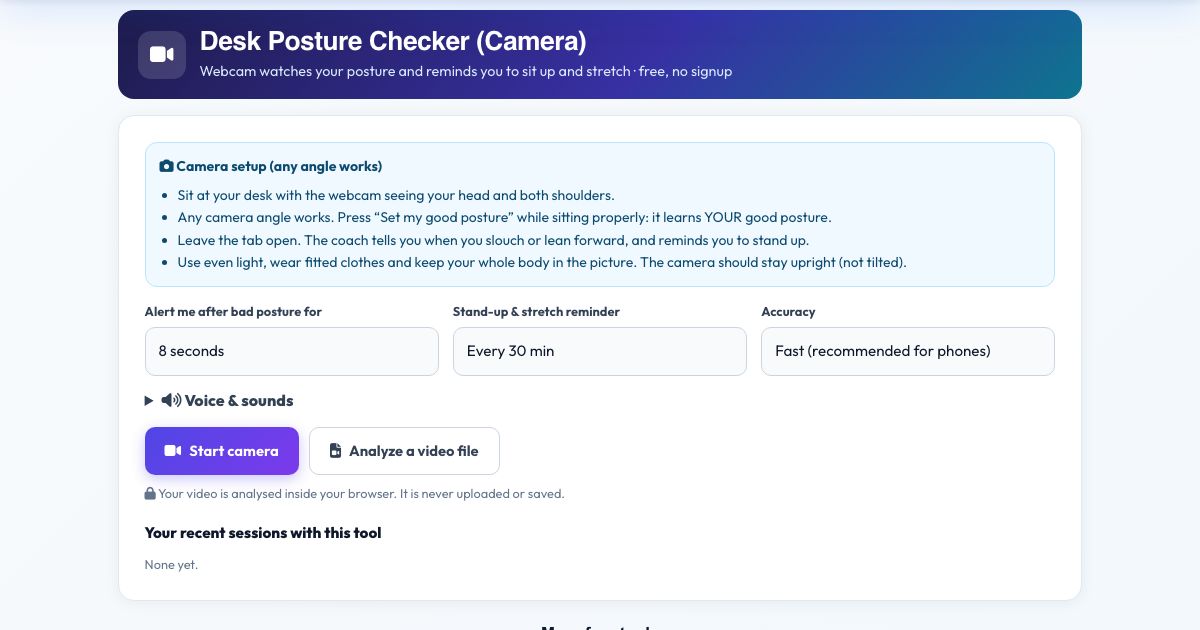
Desk Posture Checker (Camera)
Sit at your desk, press Start camera and tap 'Set my good posture' while sitting properly. The checker learns your own best posture, then watches your head and shoulders through the webcam. If you start slouching, your head drifts forward, your shoulders become uneven, your head tilts or you lean in close to the screen, it tells you with a short message and optional voice alert.
Because the measurements are taken in 3D relative to your own shoulder width, it works from any webcam position. It shows the percentage of time you sat well and can remind you every 20 to 60 minutes to stand up and stretch.
Key features
Learns your good posture
Calibrates to you.
Slouch, forward head, tilt, uneven shoulders
Five checks.
Alerts after a delay you choose
5 to 30 seconds.
Stand-up reminders
Every 20 to 60 minutes.
Good posture score
Percent of time.
Private
No upload, no recording.
How to use it
- Sit so the webcam sees your head and both shoulders.
- Press Start camera, sit up straight and press 'Set my good posture'.
- Work normally. Leave the tab open.
- Press Finish & save to see your score.
Worked example
Example
After 8 seconds of leaning forward you hear 'Head is leaning forward. Pull your chin back.' A 30-minute reminder says 'Time to stand up and stretch'.
Who uses this tool
Office workers
Healthy habits at the desk.
Students
Long study sessions.
Remote workers
Reminder without software installs.
Tips for the best results
- Use an ergonomic setup: screen at eye level.
- Re-calibrate if you move the camera.
- Take real breaks, posture is only part of the story.
Common mistakes to avoid
- Calibrating while slouched.
- Covering one shoulder with a headset or hair.
Why use AZRS QuickFix?
It is 100% free, needs no signup and has no watermark or usage limits. The tool runs in your browser, so what you type stays on your device, and it works on phones, tablets and desktops. New tools are added every week — bookmark this page or browse the full QuickFix toolbox.
Frequently asked questions
Can it fix my posture?
It makes you aware of it. Strengthening and regular movement do the fixing.
Does it work from any camera angle?
Yes. The tool measures your joints in 3D, so front, side and diagonal views all give the same angles. Keep the phone or laptop upright (not tilted on its side) and keep your whole body in the picture.
Is my video uploaded or saved?
No. The pose detection runs inside your browser on your own device. Nothing is recorded, uploaded or stored, and the camera stops when you finish.
What do I need?
Any phone, tablet or computer with a camera and a modern browser (Chrome, Edge, Safari, Firefox). The page must be opened over https for the camera to work.
Can I use a video instead of the live camera?
Yes. Press 'Analyze a video file' and pick a recorded workout; it is counted the same way.
The counter is not counting. What should I check?
Make sure your whole body is visible, the room is lit, and you start from the correct start position. The message under the picture tells you what the camera is missing.