Word Frequency Counter
Count repeated words and keyword density · free, no signup
| # | Word | Count | Density |
|---|
See Word Frequency Counter in action
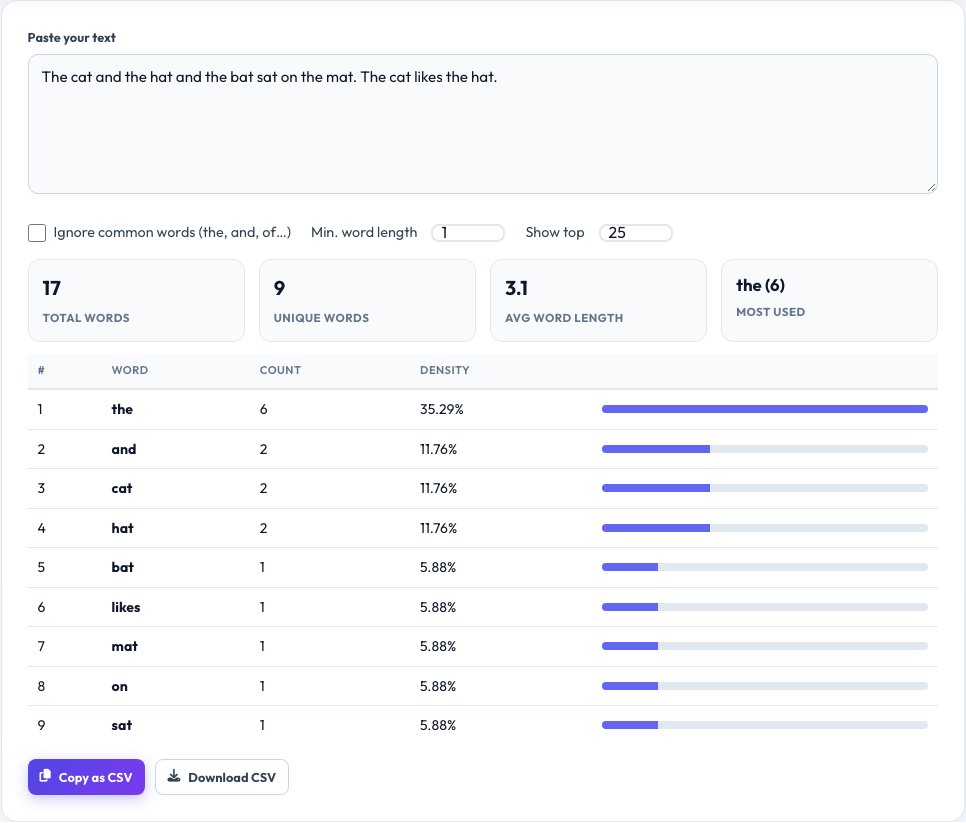
Free Word Frequency Counter and Keyword Density Checker
A word frequency counter shows you which words appear most often in a piece of writing, how many times, and what percentage of the text each one makes up. Writers use it to spot overused words, SEO specialists use it to check keyword density, and students use it to analyse texts and speeches.
Paste your text and the tool lists every word with its count and density, plus totals for words, unique words and average word length. You can hide common stop words like “the” and “and”, ignore very short words, and download the table as a CSV file for further analysis.
Key features
Instant frequency table
Every word with its count and percentage of the text.
Stop-word filter
Hide the, and, of, to and other filler words with one tick.
Keyword density
See how heavily your target keyword is used.
CSV export
Copy or download the table for spreadsheets.
How to use it
- Paste your text into the box.
- Choose whether to ignore stop words and set a minimum word length.
- Read the frequency table and the totals.
- Copy or download the table as CSV.
Worked example
Example
Text:   the cat and the hat and the bat
Result: the — 3 (37.5%)
        and — 2 (25.0%)
cat, hat, bat — 1 each (12.5%)Who uses this tool
SEO writers
Check that a target keyword appears naturally, not too rarely or too often.
Authors and editors
Find repeated words that weaken a draft.
Students and researchers
Analyse vocabulary in speeches, essays and articles.
Tips for the best results
- Aim for natural keyword use — roughly 1–2% density is plenty for most pages.
- Turn on the stop-word filter to reveal the meaningful repeated words.
- Set a minimum length of 4 to skip short filler words.
- Re-run the check after editing to confirm the changes worked.
Common mistakes to avoid
- Stuffing a keyword to hit a target percentage; search engines penalise unnatural repetition.
- Forgetting that plurals count as different words (“tool” and “tools”).
- Pasting text with page menus and footers included, which skews the counts.
Why use AZRS QuickFix?
It is 100% free, needs no signup and has no watermark or usage limits. The tool runs in your browser, so what you type stays on your device, and it works on phones, tablets and desktops. New tools are added every week — bookmark this page or browse the full QuickFix toolbox.
Frequently asked questions
What is keyword density?
The number of times a keyword appears divided by the total number of words, shown as a percentage.
What is a good keyword density?
There is no magic number. Write naturally; around 1–2% for the main keyword is a common guideline.
What are stop words?
Very common words like the, and, of and to that carry little meaning on their own.
Is my text stored?
No. The analysis runs in your browser and nothing is uploaded.
Can I analyse other languages?
Yes, it works with any language that separates words with spaces.
Can I export the results?
Yes. Copy the table or download it as a CSV file.