Free Citation Generator
Create perfectly formatted citations for APA, MLA, Chicago, and Harvard styles in seconds. Websites, books, journals, videos & more.
The Fastest Free Citation Generator Online
AZRS Citation Generator is a free academic citation tool designed for students, researchers, and writers who need accurate, properly formatted citations — fast. Whether you need an APA citation, MLA citation, Chicago citation, or Harvard reference, AZRS Citation Generator handles all four major citation styles with support for six source types: websites, books, journal articles, online videos, newspaper articles, and theses.
Unlike other citation tools, AZRS requires no account, no subscription, and no download. Simply select your citation style, choose your source type, enter the details, and receive a perfectly formatted citation in seconds. Your citation history is saved locally so you can always find your previous references.
Citation Style Guide: APA vs MLA vs Chicago vs Harvard
Each academic citation style has specific rules for formatting references. Here's a quick comparison to help you choose the right one for your paper.
| Style | Best For | In-Text Format | Reference List Name |
|---|---|---|---|
| APA 7th | Psychology, Education, Social Sciences | (Author, Year) | References |
| MLA 9th | Literature, Humanities, Arts | (Author Page) | Works Cited |
| Chicago 17th | History, Arts, Publishing | Footnotes or (Author Year) | Bibliography |
| Harvard | Business, Sciences, Engineering | (Author Year) | Reference List |
How to Generate a Citation in 3 Easy Steps
Citation Tips for Students & Researchers
Always cite your sources
Proper citations protect you from plagiarism and give credit to original authors. Even paraphrased ideas need citations in academic writing.
Include access dates for websites
Web content can change or disappear. Always record when you accessed an online source — it's required in APA, MLA, Chicago, and Harvard formats.
DOI vs URL for journal articles
Use a DOI (Digital Object Identifier) when available — it provides a permanent link to a journal article. Only use a URL if no DOI exists.
Multiple authors
APA uses "et al." after the first author for 3+ authors in-text. MLA lists up to 3 authors, then adds "et al." Chicago lists all authors in bibliographies.
See Free Citation Generator: APA, MLA & Chicago in action
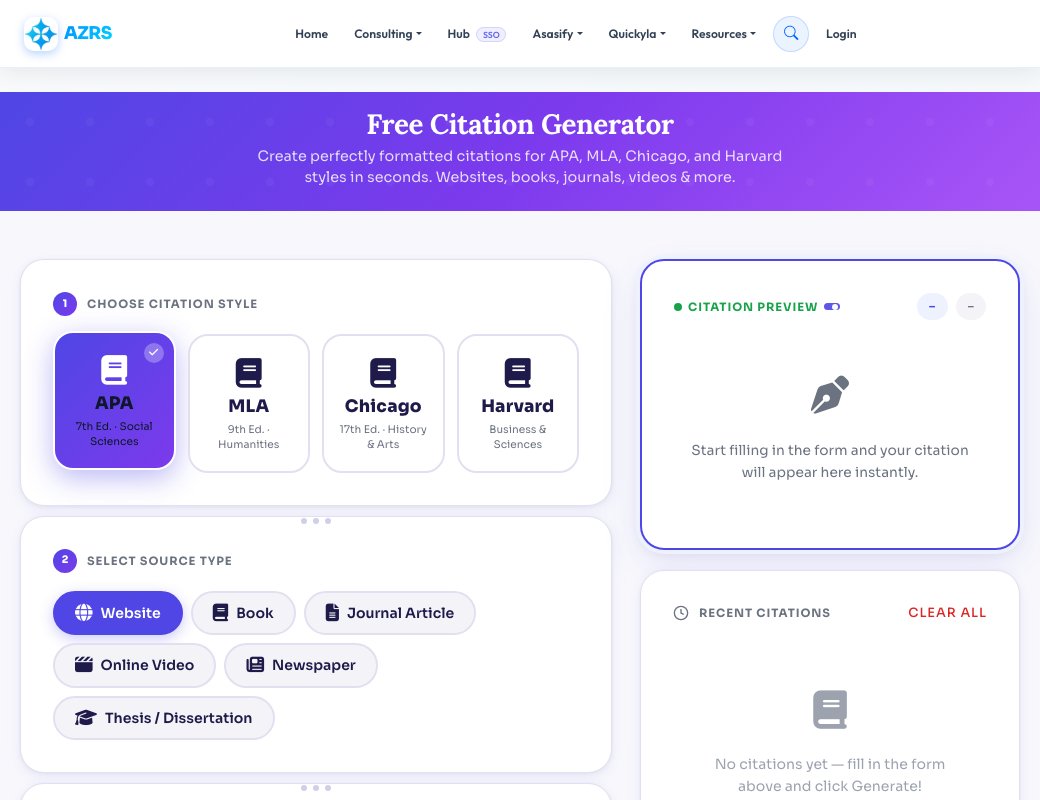
Free Citation Generator: APA, MLA & Chicago
A good citation gives credit to your sources and protects you from plagiarism. This free citation generator builds correctly formatted references from the details you enter: author, title, publisher, year and URL. Copy the result straight into your bibliography.
Different classes and journals require different styles. Choose the format your instructor asks for, and remember to double-check the final reference against your style guide, since small rules such as italics and capitalisation vary by edition.
Multiple citation styles
Create references for websites, books and articles in common academic formats.
Saves time on bibliographies
Stop memorising punctuation rules and let the generator format each entry.
Avoid plagiarism
Proper attribution shows where your ideas and evidence came from.
Copy and paste ready
One click gives you a finished reference for your works-cited page.
How to use it
- Choose the source type and citation style.
- Fill in the author, title, publisher, year and link.
- Generate the citation.
- Copy it into your bibliography and check it against your style guide.
Frequently asked questions
What is the difference between APA, MLA and Chicago?
APA is common in the sciences and social sciences, MLA in the humanities and literature, and Chicago in history and publishing. Each formats authors, dates and titles differently.
Is this citation generator free?
Yes, it is free with no account required.
Do I need to cite a website?
Yes. Any idea, quote, statistic or image taken from a website should be cited.
Are generated citations always perfect?
They follow standard formats, but always verify against the latest style manual or your instructor's requirements.