Overview
Free Arabic Keyboard Online — Type Arabic (عربي) Without Installing
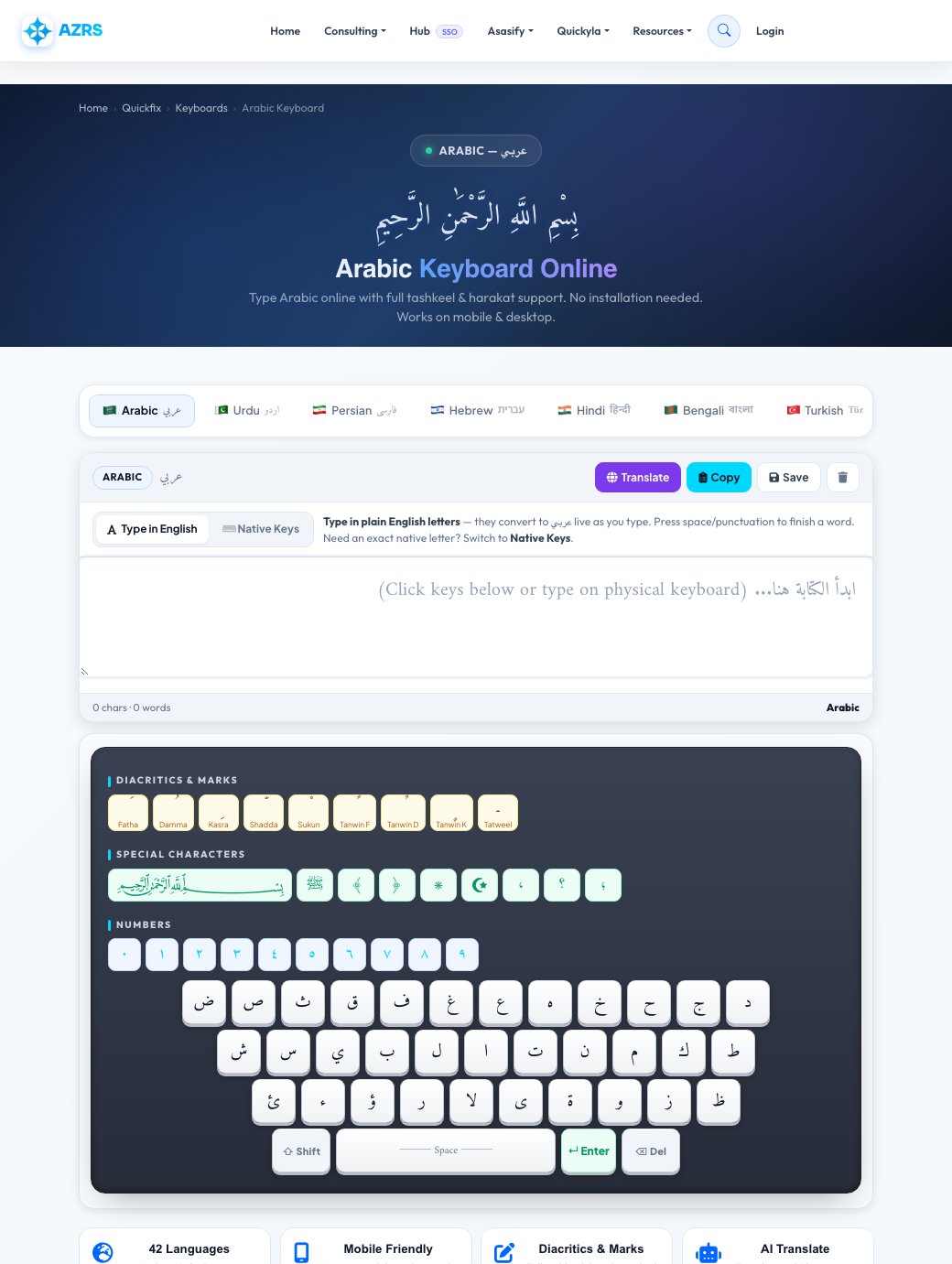
AZRS Corp's online Arabic keyboard lets you type Arabic script directly in your browser — no software, no browser extension, no sign-up required. Whether you need to write an Arabic message, compose an email, search in Arabic, or copy Arabic text to paste into WhatsApp or Word, this tool has you covered. It supports the full Arabic alphabet plus all tashkeel diacritics (fatha, kasra, damma, sukun, shadda, tanwin). Arabic is written right-to-left (RTL), and the page switches text direction automatically the moment you select it.
Arabic is written right-to-left (RTL) using the Arabic script, which is also the basis for Urdu, Persian, and several other languages. It has 28 letters and uses diacritical marks (harakat / tashkeel) to indicate short vowels. Our keyboard automatically switches the text direction to RTL when Arabic is selected. Most computers and phones default to a Latin (QWERTY) keyboard. Switching your operating system language layout just to type a few Arabic words is inconvenient — and often impossible on shared or public devices. Our browser-based Arabic keyboard solves this: open the page, type, copy, done.
In practice
Worked example
Typing
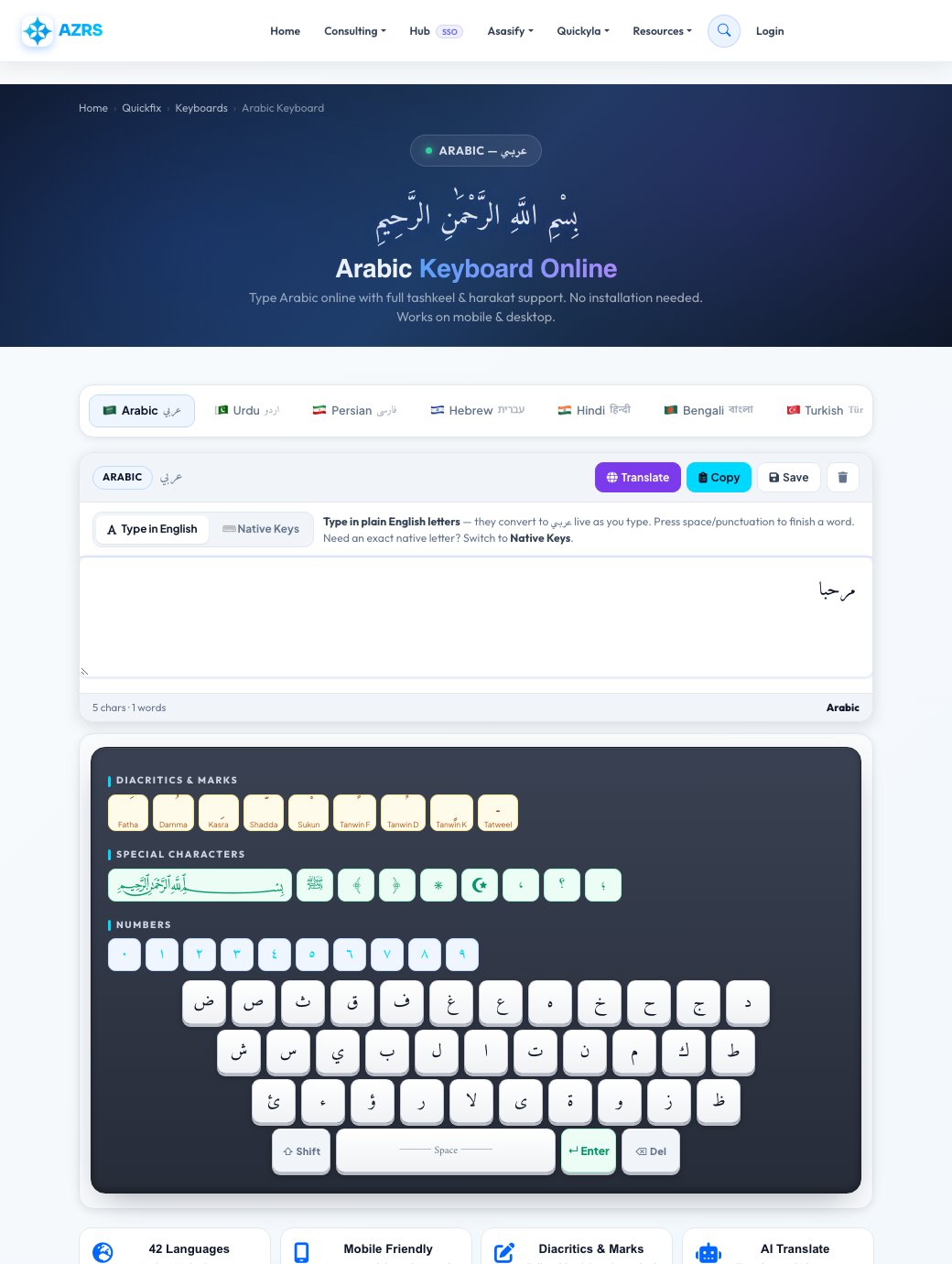
Type “bismillah” using the phonetic keys and it renders as بسم الله automatically, or tap the on-screen Arabic letters directly. Add tashkeel marks from the strip for texts like Quranic verses where exact vowelling matters.
FAQ
Frequently asked questions
How do I type Arabic online without a Arabic keyboard?
Open this page — type phonetically using your regular Latin keyboard — common Arabic sound combinations convert to عربي script automatically as you go — or tap the on-screen Arabic keys directly with your mouse or finger. No software install or OS language pack is required.
Is this Arabic keyboard free?
Yes, 100% free with no sign-up, on any device.
Does the Arabic keyboard work on iPhone and Android?
Yes. The layout is touch-friendly and works in Safari, Chrome, and Firefox on phones and tablets with no app to download.
Can I translate Arabic text to English?
Yes — type or paste your text, tap Translate, and choose English or any of the other supported target languages.
What does the diacritics strip do?
It adds tashkeel marks (fatha, damma, kasra, shadda, sukun, tanwin) that aren't on the main letter keys, for text where precise pronunciation matters.
Can I save or copy my Arabic text?
Yes — tap Copy to put it on your clipboard for pasting into WhatsApp, Word, or email, or tap Save to download it as a plain-text file.