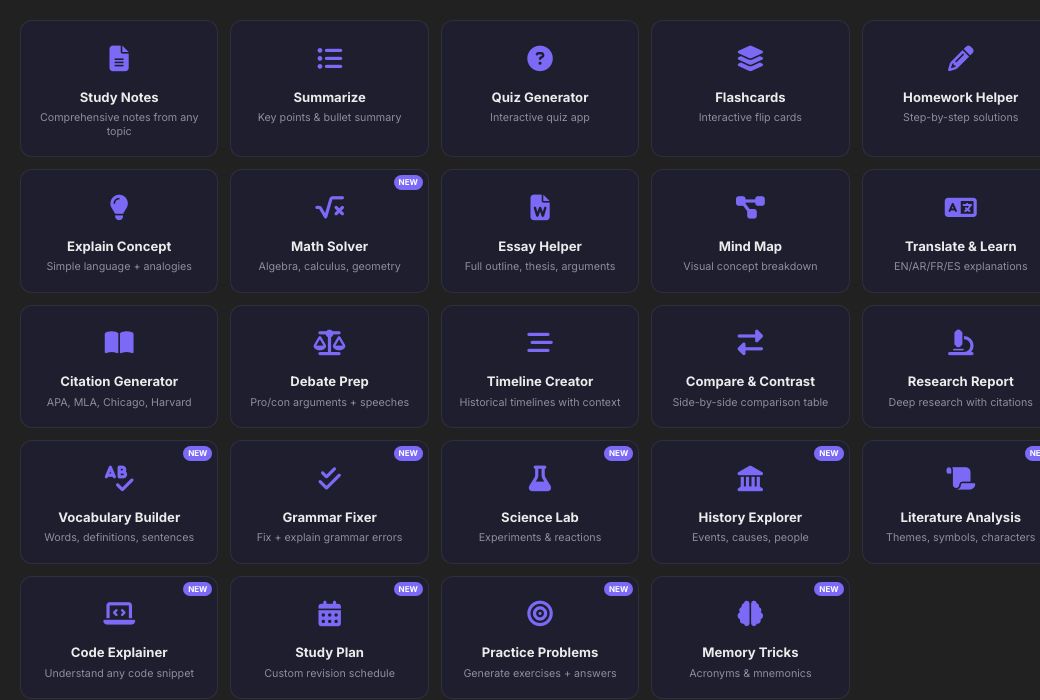
Student Tools is a grid of 24 focused, single-purpose study helpers — study notes, flashcards, quizzes, a math solver, essay helper, citation generator, mind maps, grammar fixer, and more — each with its own clean SEO-friendly URL so it can be opened, bookmarked and shared directly.
Every tool runs on the same free AI backend as the rest of AZRS AI, tuned with a 'tutor' system prompt that favours plain-language explanations, real-world analogies, and a 'Key Takeaways' summary at the end of every answer.
From Study Notes and Flashcards to Math Solver, Essay Helper, Citation Generator and Memory Tricks.
Explanations use simple language first, then technical terms, with analogies and step-by-step reasoning.
Every tool has its own URL (e.g. /student-tools/math-solver/) so it can be linked or bookmarked directly.
No login and no cap on how many times you can use any tool.
Example
Open the Math Solver, type '2x^2 + 5x - 3 = 0', and get the full step-by-step factoring/quadratic-formula solution with the final roots — not just the answer.
Homework help, revision material and exam prep across every subject.
Turn any topic into structured notes, a quiz, or flashcards for spaced repetition.
Quickly generate quiz questions or a topic breakdown to build lesson material from.
It is 100% free, needs no signup and has no watermark or usage limits. The tool runs in your browser, so what you type stays on your device, and it works on phones, tablets and desktops. New tools are added every week — bookmark this page or browse the full QuickFix toolbox.
Yes, every student tool is free with no usage limit.
No, all student tools work without an account.
All of them — the tools are subject-agnostic; you provide the topic (math, science, history, literature, languages, etc.).
Yes, the Study Plan Maker builds a custom revision schedule based on what you tell it about your exam date and subjects.
It generates APA, MLA, Chicago and Harvard format citations correctly for the standard style, but always double-check against your specific institution's requirements.
Yes, if you're logged in you can save any generated result to Saved Chats for later.