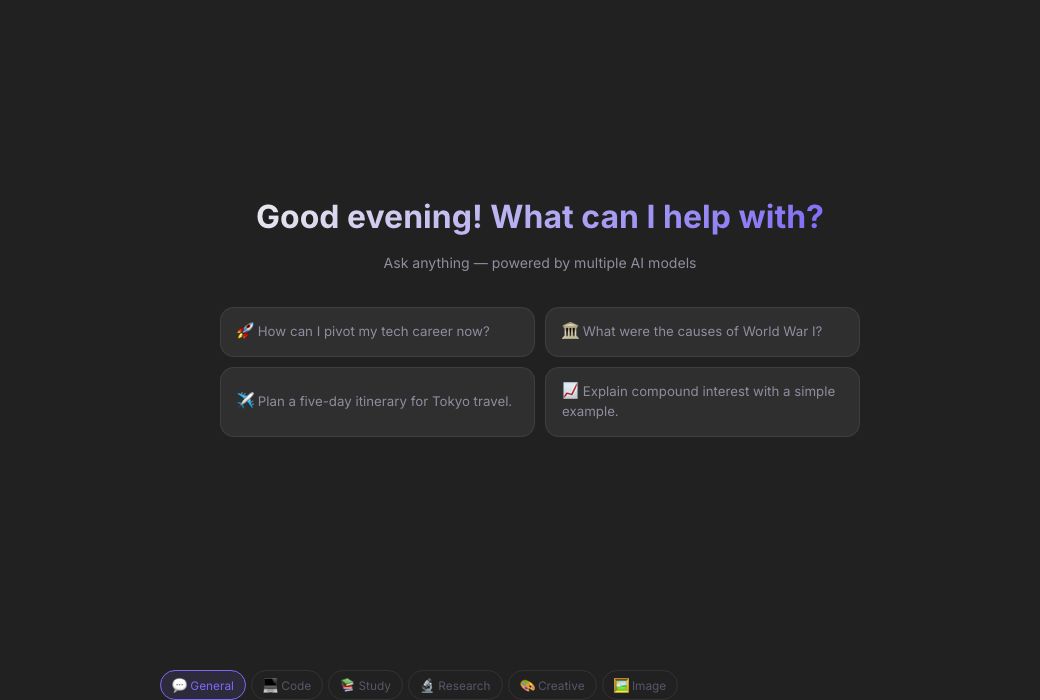
Auto · Tries all providers · AZRS AI can make mistakes
CODE
🎤 AI Voice Mode
Speak → AI thinks → AI replies → repeats automatically
Tap mic or button to start
Chrome / Edge required · Check mic permission
Preview
See AZRS AI Chat — Free Unlimited AI Conversation in action
azrscorp.com/ai/chat/
1Open a mode chip that matches your task (or leave it on General).
2Type your message, or attach a photo/file with the + button.
3Press send (or Enter) and watch the reply stream in.
Overview
AZRS AI Chat — Free Unlimited AI Conversation
AZRS AI Chat is a full conversational assistant: type anything and get a real, detailed reply, with support for file and photo uploads, AI image generation, live web search, and a hands-free voice mode that lets you talk to the AI out loud and hear it talk back.
Six built-in modes change how it answers — General for everyday questions, Code for programming, Study for tutoring-style explanations, Research for cited analysis, Creative for writing, and Image for generating pictures — so the same chat box adapts to whatever you're doing.
Highlights
Key features
6 response modes
General, Code, Study, Research, Creative and Image — each tunes the AI's system prompt for that task.
Web search toggle
Turn on live search so answers about current events, prices, or 'latest' anything are actually up to date.
Voice mode
Tap the phone icon to speak to the AI and hear spoken replies back, hands-free.
Canvas + exports
Pop code into a separate editable/previewable panel, and export any conversation as Markdown or plain text.
Walkthrough
How to use it
Open a mode chip that matches your task (or leave it on General).
Type your message, or attach a photo/file with the + button.
Press send (or Enter) and watch the reply stream in.
Keep the conversation going, save useful replies, or start a new chat any time.
In practice
Worked example
Example
Switch to 🔬 Research mode, turn on Web Search, and ask 'What are the latest EV battery breakthroughs in 2026?' — the AI pulls in live search results and answers with inline [1][2] style references instead of guessing from stale training data.
Audience
Who uses this tool
Everyday users
Quick answers, explanations, writing help — no different from any major AI chatbot, minus the paywall.
Students and professionals
Mode-tuned answers for studying or research without needing a separate tool.
Hands-free users
Voice mode for talking to the AI while driving, cooking, or multitasking.
Pro tips
Tips for the best results
Long messages are fine — paste a full paragraph or error log rather than summarizing it yourself first.
If a reply seems short or generic, try re-sending — a different provider in the fallback chain may give a fuller answer.
Use Share Chat Link (from the + menu) to send a read-only copy of a conversation to someone else.
Clear old attachments before asking something unrelated — the AI still has the last uploaded file in context otherwise.
Watch out
Common mistakes to avoid
Forgetting to switch modes — asking a coding question in Creative mode gives a less precise, less code-focused answer.
Expecting real-time data without turning on Web Search first.
Uploading very large files and expecting instant analysis — bigger files take longer to process.
Why AZRS
Why use AZRS QuickFix?
It is 100% free, needs no signup and has no watermark or usage limits. The tool runs in your browser, so what you type stays on your device, and it works on phones, tablets and desktops. New tools are added every week — bookmark this page or browse the full QuickFix toolbox.
FAQ
Frequently asked questions
Is there a message limit?
No — chat as much as you like, for free.
Can I upload a photo or PDF?
Yes, use the + button to attach photos or files; the AI can read and analyse them.
How does voice mode work?
It uses your browser's microphone to transcribe what you say, sends it to the AI, and reads the reply back aloud — a full spoken back-and-forth.
Can I export a conversation?
Yes, from the + menu choose Export as Markdown or Export as Text to download the full chat.
Does it remember earlier messages?
Yes, within the same chat session the AI has the full conversation history for context.
Why did I get a short or slightly odd-sounding reply?
AZRS AI automatically falls back across several AI providers if one is slow or rate-limited, so response style can vary message to message — this keeps the assistant working instead of failing outright.
⚙️ Settings
General
Response language
AI replies in this language
Enter to send
Shift+Enter for new line
Auto web search
Search web for recent questions
Show timestamps
Time on each message
Auto-scroll to bottom
While AI is responding
Show source links
Display web search sources
AI & Models
PreciseCreative
This is added before every conversation to customize AI behavior.