Sitemap vs Crawl Comparison
Find Missing & Orphan Pages
Compare your XML sitemap against actual crawl data. Find pages in sitemap but not crawled, and pages crawled but missing from sitemap.
Sitemap vs Crawl Analysis
Why Compare Sitemap vs Crawl?
Finding discrepancies between your sitemap and actual crawl reveals critical technical SEO issues.
In Sitemap But Not Crawled
Pages in your sitemap that can't be crawled indicate broken links, noindex tags, or robots.txt blocking.
Orphan Pages
Pages crawled but missing from sitemap are "orphans" - they exist but aren't properly linked in your site structure.
Indexation Issues
Discrepancies reveal why pages aren't getting indexed by Google and how to fix structural problems.
Fix Internal Linking
Identify pages that need better internal linking to be discoverable by crawlers and users.
Site Architecture
Understand your site's structure and find pages that are difficult to discover through navigation.
Crawl Budget
Ensure Google's crawl budget is spent on important pages, not orphans or broken links.
Understanding Sitemap vs Crawl Comparison
Your XML sitemap tells search engines which pages you want indexed. A crawl discovers what's actually accessible on your site. Comparing them reveals critical issues.
What the Tool Finds
- Pages in Sitemap but Not Crawled: URLs listed in sitemap.xml that return 404, are blocked by robots.txt, or have noindex tags.
- Orphan Pages (Crawled but Not in Sitemap): Live pages missing from your sitemap, often because they're not properly linked internally.
- Pages in Both: Properly accessible pages that are correctly listed in your sitemap - this is what you want!
Common Issues & Fixes
1. Pages in Sitemap Return 404: Remove dead URLs from your sitemap or restore the pages.
2. Blocked by Robots.txt: If pages are in your sitemap, they shouldn't be blocked in robots.txt. Update your robots.txt file.
3. Noindex Pages in Sitemap: Don't include noindex pages in sitemaps - Google will ignore them anyway.
4. Orphan Pages: Add orphan pages to your sitemap and improve internal linking so they're discoverable.
5. Too Many Redirects: Pages in sitemap that redirect should list the final destination URL instead.
Best Practices
- Keep your sitemap updated automatically when content changes
- Only include canonicalized URLs in sitemaps (not alternate versions)
- Exclude noindex, blocked, and redirect URLs from sitemaps
- Submit sitemaps through Google Search Console
- Run this comparison audit monthly to catch new issues
- Fix orphan pages by adding internal links or adding to sitemap
Technical SEO Impact
Sitemap issues directly affect Google's ability to discover and index your content. Pages not in your sitemap may never be found if they're poorly linked internally.
Orphan pages waste crawl budget and often don't rank well because they lack internal link equity. Fixing these issues improves overall site crawlability and indexation.
How to Use This Tool Effectively
Actionable SEO advice to get the most out of every analysis
Start With Your Competitors
Run your top 3 competitors through this tool first. Understanding their structure, keywords, and technical issues reveals exactly where you can outrank them.
Run Monthly Audits
SEO is not a one-time task. Schedule monthly checks to catch new issues before Google penalizes them. Consistent analysis beats one big yearly audit every time.
Fix High-Impact Issues First
Not all errors are equal. Prioritize: broken crawl paths → missing meta titles → slow load times → thin content. This order maximizes ranking gains per hour spent.
Internal Links Are Free PageRank
Every internal link passes authority between your pages. Use the Internal Link Finder to ensure your most important pages receive the most internal links.
Page Speed Directly Affects Rankings
Google's Core Web Vitals are a confirmed ranking factor. Pages loading under 2.5 seconds see significantly higher rankings and 40% lower bounce rates than slow pages.
Keep Your Sitemap Clean
Your sitemap tells Google what to index. Remove redirect chains, 404s, and noindex pages from it. A clean sitemap = faster, more complete indexation of good content.
More Free SEO Tools
Everything you need to dominate search rankings — all free, no signup required
🔍 SEO & Website Analysis
🧮 Free Calculators
⚙️ Developer & Utility Tools
See Sitemap vs Crawl Comparison in action
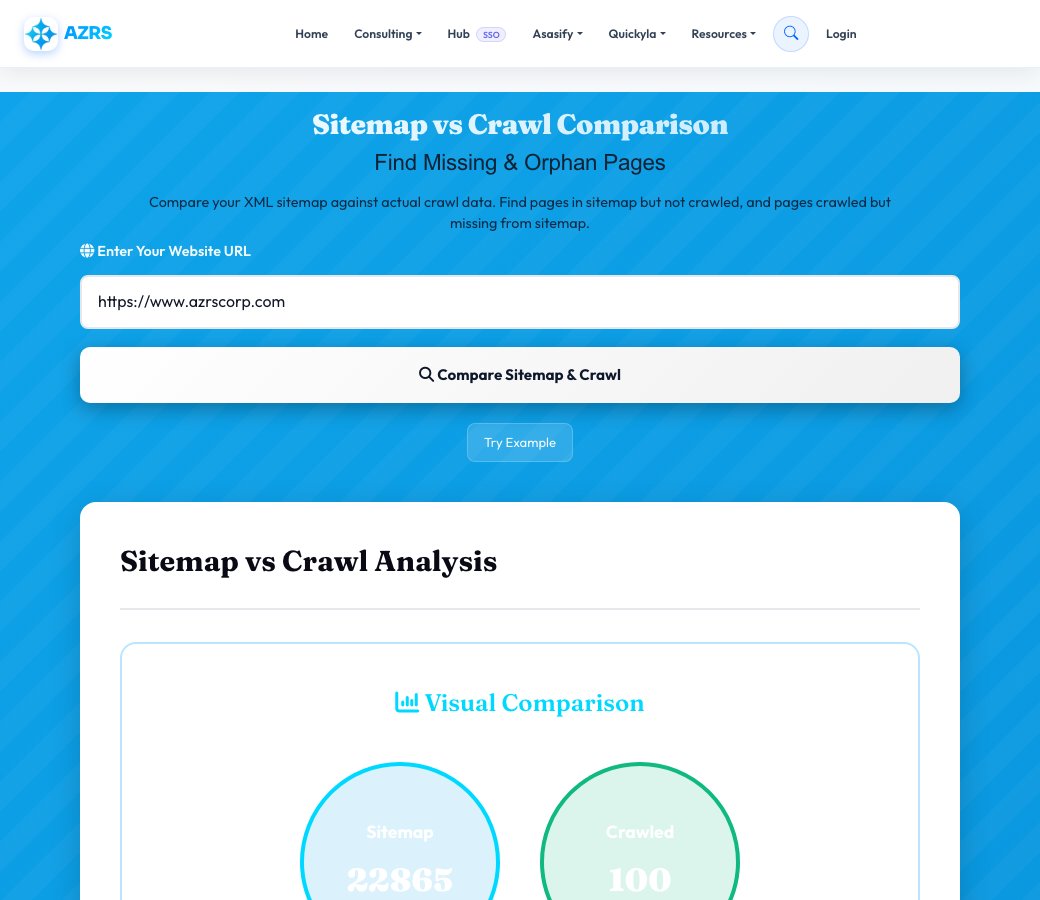
Sitemap vs Crawl Comparison
Enter a site's URL and this tool pulls the real URLs listed in its XML sitemap, separately crawls the live site (up to 100 pages) to see what's actually discoverable by following links, then compares the two sets directly — showing you pages listed in the sitemap but never actually crawled, and pages the crawl found that are missing from the sitemap entirely.
These two gaps mean very different things: a sitemap-only URL might be indexable-but-orphaned or simply not linked internally, while a crawl-only URL is a real orphan page that search engines can find by following links but that you never told them about via the sitemap — both are worth fixing for different reasons.
Key features
Real sitemap parsing
Fetches and parses your actual XML sitemap, not a guessed URL list.
Real site crawl
Independently crawls up to 100 live pages by following internal links.
Three-way comparison
Clearly separates pages in both sets, sitemap-only, and crawl-only (orphan pages).
Orphan page detection
Specifically surfaces pages that are crawlable but missing from your sitemap.
How to use it
- Enter the site's URL.
- Run the comparison and let it fetch the sitemap and crawl the live site separately.
- Review the sitemap-only, crawl-only and in-both counts.
- Add missing important pages to your sitemap and investigate any crawl-only orphan pages.
Worked example
Example
A comparison finds 85 URLs in both, 6 listed in the sitemap but never crawled (possibly orphaned internally), and 4 crawled pages missing from the sitemap entirely — each group needing a different fix.
Who uses this tool
SEO specialists doing indexation audits
Find the specific gap between what you're telling Google to index and what's actually discoverable.
Site owners after a CMS or migration change
Confirm the sitemap was regenerated correctly and still matches the live site structure.
Developers maintaining large sites
Catch orphan pages or stale sitemap entries before they cause indexation issues.
Tips for the best results
- Treat crawl-only pages as a priority — they're real, reachable pages your sitemap isn't telling search engines about.
- Investigate sitemap-only URLs for why they weren't reached by the crawl — they may be genuinely orphaned with no internal links pointing to them.
- Regenerate and re-check your sitemap after any major content or navigation change.
- Keep your sitemap limited to canonical, indexable URLs — including redirects or noindexed pages here just adds noise.
Common mistakes to avoid
- Assuming your sitemap automatically reflects your current site structure without checking after changes.
- Ignoring crawl-only orphan pages because they're not technically 'broken' — they're just invisible to your sitemap.
- Including old or redirected URLs in the sitemap, which wastes crawl budget on pages that don't need indexing.
Why use AZRS QuickFix?
It is 100% free, needs no signup and has no watermark or usage limits. The tool runs in your browser, so what you type stays on your device, and it works on phones, tablets and desktops. New tools are added every week — bookmark this page or browse the full QuickFix toolbox.
Frequently asked questions
What's the difference between sitemap URLs and crawled URLs?
Sitemap URLs are the pages you explicitly tell Google to consider via your XML sitemap; crawled URLs are pages actually discovered by following internal links, the way a real crawler would find them.
What are orphan pages?
Pages that are discoverable by crawling (someone links to them) but are missing from your sitemap — or, less commonly, pages listed in the sitemap that no internal link actually points to.
How many pages does the crawl check?
Up to 100 pages, discovered independently of the sitemap by following internal links.
How do I fix a sitemap-vs-crawl mismatch?
Add missing important pages to your sitemap, remove old or redirected URLs from it, and add internal links to any genuinely orphaned pages.
Does my sitemap need to list every single page?
It should list your canonical, indexable pages — deliberately excluding duplicates, redirects and noindexed URLs is normal and expected.
Is this free?
Yes, free with no signup required.