SSL Certificate Checker
Check a domain's SSL/TLS certificate, expiry date, issuer and trust status · free, no signup
See SSL Certificate Checker in action
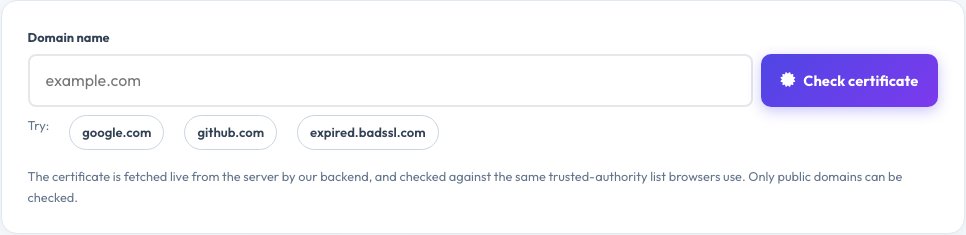
Free SSL Certificate Checker — Expiry, Issuer and Trust in Seconds
An expired or misconfigured SSL/TLS certificate makes browsers show a scary warning and drives visitors away. This SSL checker connects to any public domain, retrieves its live certificate and shows whether it is valid and trusted, how many days remain until it expires, who issued it, which domain names it covers and which TLS version and cipher the server negotiated.
It also reports the public key type and size, signature algorithm, serial number and SHA-256 fingerprint, and tells you exactly why a certificate would fail in a browser — expired, not yet valid, name mismatch, self-signed or issued by an untrusted authority. Use it to monitor renewals, verify a fresh install, or check a site you are about to trust.
Key features
Expiry countdown
Days remaining with a clear valid / expiring / expired verdict.
Trust and hostname check
Verified against the same trusted authorities browsers use.
Full certificate details
Issuer, dates, names covered, key, signature, fingerprint.
Protocol and cipher
See the TLS version and cipher in use.
How to use it
- Enter the domain name (for example example.com).
- Press Check certificate.
- Read the verdict and days remaining.
- Review the issuer, names covered and TLS details.
Worked example
Example
example.com → valid, 62 days left, issued by a public CA, TLS 1.3.
expired.badssl.com → “Certificate has EXPIRED”.
Who uses this tool
Website owners and admins
Catch expiring certificates before visitors see warnings.
Developers and DevOps
Verify a new certificate or chain is installed correctly.
Security-minded users
Check who vouches for a site.
Tips for the best results
- Renew at least 14 days before expiry.
- Make sure the certificate covers both example.com and www.example.com.
- Prefer TLS 1.2 or 1.3; disable older protocols.
- Automate renewal with your host or a free CA like Let's Encrypt.
Common mistakes to avoid
- Forgetting a subdomain that has its own certificate.
- Testing only the www or only the non-www version.
- Leaving auto-renewal broken until the certificate expires.
Why use AZRS QuickFix?
It is 100% free, needs no signup and has no watermark or usage limits. The tool runs in your browser, so what you type stays on your device, and it works on phones, tablets and desktops. New tools are added every week — bookmark this page or browse the full QuickFix toolbox.
Frequently asked questions
What is an SSL certificate?
A digital document that proves a website's identity and enables an encrypted HTTPS connection. Modern sites use TLS, the successor to SSL.
How do I know if the certificate is valid?
It must be within its dates, cover the domain name, and be issued by an authority browsers trust. This tool checks all three.
What does “not trusted” mean?
The certificate is self-signed, signed by an unknown authority, or the server did not send the full chain.
How long do certificates last?
Public certificates are now limited to about 13 months, and many (such as Let's Encrypt) last 90 days.
Can it check internal servers?
No. Only public internet hosts can be checked.
Which ports can I check?
443 by default; 8443, 465, 993, 995, 636 and 853 are also supported through the API.