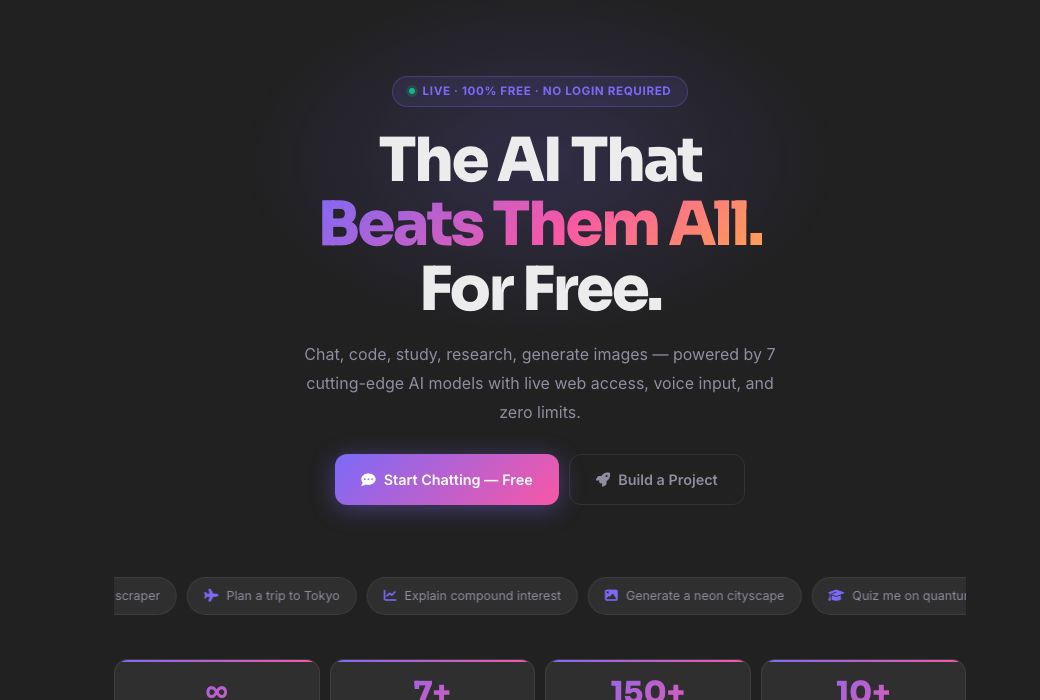
See AZRS AI — Free Unlimited AI Assistant in action
azrscorp.com/ai/
1Pick a tool from the sidebar — or just start typing in the main chat box.
2Choose a mode (general, code, study, research, creative or image) if you want a specialised response style.
3Type your question, code, or topic and send it.
Overview
AZRS AI — Free Unlimited AI Assistant
AZRS AI is the home base for every AI tool on this site: a full chat assistant, a code assistant, a project generator, deep research with citations, 24 student tools, 4 finance calculators, and an image generator — all free, all in one place, with no message limits and no login required to start.
Behind the scenes it runs on a chain of free AI providers (Groq, Gemini, OpenRouter, Cerebras, Mistral, Together and HuggingFace, in that order) so that if one provider is slow or rate-limited, the request automatically retries on the next — you get a real answer instead of a spinning icon.
Highlights
What's included
AI Chat
A ChatGPT-style conversation with 6 modes (general, code, study, research, creative, image), web search, voice mode and a code canvas.
Code Assistant & Project Maker
Debug and explain code snippets, or describe an app idea and get a full generated project with files.
Student & Finance tools
24 study tools (notes, flashcards, quizzes, essay help…) and 4 finance calculators (EMI, SIP, tax, FD).
Deep Research
Ask a question and get a structured, cited answer pulled from live web search plus the AI's own knowledge.
Walkthrough
How to use it
Pick a tool from the sidebar — or just start typing in the main chat box.
Choose a mode (general, code, study, research, creative or image) if you want a specialised response style.
Type your question, code, or topic and send it.
Read the answer, keep chatting, save it, or export it — your call.
In practice
Worked example
Example
Type 'Explain recursion with a Python example' in the chat box, hit send, and get a plain-language explanation plus a runnable code sample in under a couple of seconds — no account needed.
Audience
Who uses this tool
Students
Homework help, study notes, flashcards and math solving in one place.
Developers
Quick debugging, code explanations and full starter projects.
Anyone researching a topic
Structured, cited answers instead of scrolling ten browser tabs.
Pro tips
Tips for the best results
Use the mode chips (💬 General, 💻 Code, 📚 Study, 🔬 Research, 🎨 Creative, 🖼️ Image) — they change the system prompt behind the scenes for better answers.
Turn on Web Search for anything time-sensitive (news, prices, 'latest' versions) — the default model's training data has a cutoff.
Create a free account if you want your chats saved across devices; guest chats are still kept in your browser session.
Use the Canvas (code icon) when working on a script — it keeps code separate from the conversation so it's easy to copy or preview.
Watch out
Common mistakes to avoid
Assuming one AI provider is 'the' model — AZRS AI silently falls back across several providers, so response style can vary slightly between messages.
Not enabling Web Search for time-sensitive questions and then being surprised the answer is out of date.
Pasting very long documents into general chat instead of using Deep Research or the Student Summarizer, which are tuned for long-form input.
Why AZRS
Why use AZRS QuickFix?
It is 100% free, needs no signup and has no watermark or usage limits. The tool runs in your browser, so what you type stays on your device, and it works on phones, tablets and desktops. New tools are added every week — bookmark this page or browse the full QuickFix toolbox.
FAQ
Frequently asked questions
Is AZRS AI really free?
Yes — chat, code help, student tools, finance calculators and research all run with no message cap and no payment, using free-tier AI provider APIs.
Do I need an account?
No. You can chat as a guest; your conversation stays in your browser session. Sign up (free) if you want chats saved permanently and synced.
Which AI model answers me?
It varies — AZRS AI tries several providers (Groq, Gemini, OpenRouter, Cerebras, Mistral, Together, HuggingFace) in order and uses whichever responds first successfully, so you always get an answer even if one provider is down.
Can it generate images?
Yes, ask it to draw/create/generate an image in the chat and it will generate one for you.
Is my data private?
Guest conversations live in your session; logged-in users' chats are tied to their account and only visible to them.
What's the difference between AI Chat and Deep Research?
AI Chat is a fast, general conversation. Deep Research is tuned specifically for structured, cited answers pulled from live web search — better for 'give me a proper report on X'.
⚙️ Settings
General
Response language
AI replies in this language
Enter to send
Shift+Enter for new line
Auto web search
Search web for recent questions
Show timestamps
Time on each message
Auto-scroll to bottom
While AI is responding
Show source links
Display web search sources
AI & Models
PreciseCreative
This is added before every conversation to customize AI behavior.