DNS Lookup
Look up A, AAAA, MX, NS, TXT, CNAME, SOA and CAA records for any domain · free, no signup
See DNS Lookup in action
Free DNS Lookup — Check Any Domain's DNS Records
DNS is the internet's phone book: it turns a domain name into the IP address and services behind it. This DNS lookup queries a public resolver and shows the records that exist for any domain — A and AAAA (IP addresses), MX (mail servers), NS (name servers), TXT (SPF, DKIM, verification codes), CNAME (aliases), SOA and CAA — with their TTL in seconds.
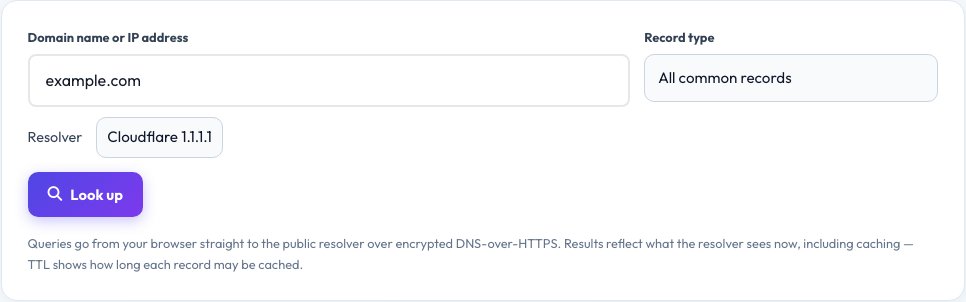
Choose a single record type or all common types at once, pick Cloudflare or Google as the resolver, or enter an IP address to do a reverse (PTR) lookup. Queries use encrypted DNS-over-HTTPS straight from your browser. It is useful for checking that a new website, email setup or domain move has propagated, and for debugging why a domain does not resolve.
Key features
All common record types
A, AAAA, MX, NS, TXT, CNAME, SOA, CAA and PTR.
Two resolvers
Cloudflare 1.1.1.1 or Google 8.8.8.8 to compare answers.
Reverse lookup
Enter an IP address to find its hostname.
TTL shown
See how long each record may be cached.
How to use it
- Enter a domain name (or an IP for a reverse lookup).
- Choose All records or a specific type.
- Pick a resolver and click Look up.
- Read the table of records with TTLs.
Worked example
Example
example.com MX → 0 . (null MX) · A → 93.184.216.34 · TXT → “v=spf1 -all”.
8.8.8.8 (reverse) → dns.google.
Who uses this tool
Site owners and admins
Verify DNS changes and propagation.
Email administrators
Check MX, SPF and DKIM records.
Developers and support
Debug domains that do not resolve.
Tips for the best results
- After a DNS change, compare both resolvers to spot propagation delays.
- Lower the TTL a day before a migration.
- Check TXT records for SPF and verification strings when email fails.
- Remember that www and the bare domain can have different records.
Common mistakes to avoid
- Expecting a change to appear instantly while old records are cached until the TTL ends.
- Confusing a CNAME with an A record (a CNAME cannot sit on the root domain).
- Forgetting that DNS names are case-insensitive but records are per exact name.
Why use AZRS QuickFix?
It is 100% free, needs no signup and has no watermark or usage limits. The tool runs in your browser, so what you type stays on your device, and it works on phones, tablets and desktops. New tools are added every week — bookmark this page or browse the full QuickFix toolbox.
Frequently asked questions
What is a DNS lookup?
A query that asks a DNS server for the records stored for a domain name.
What is the difference between A and AAAA?
A records hold IPv4 addresses; AAAA records hold IPv6 addresses.
What is an MX record?
It names the mail servers that accept email for the domain, each with a priority number — lower numbers are tried first.
What does TTL mean?
Time to live: how many seconds a resolver may cache the record before asking again.
Why do the two resolvers show different answers?
Caches expire at different times, so during propagation one resolver may still show old data.
Is it private?
Queries go from your browser directly to the resolver you choose; AZRS does not see or store them.