Word Search Puzzle Generator
Type a list of words and get a printable word search puzzle grid with a matching answer key · free, no signup
How Word Search Puzzle Generator works, step by step
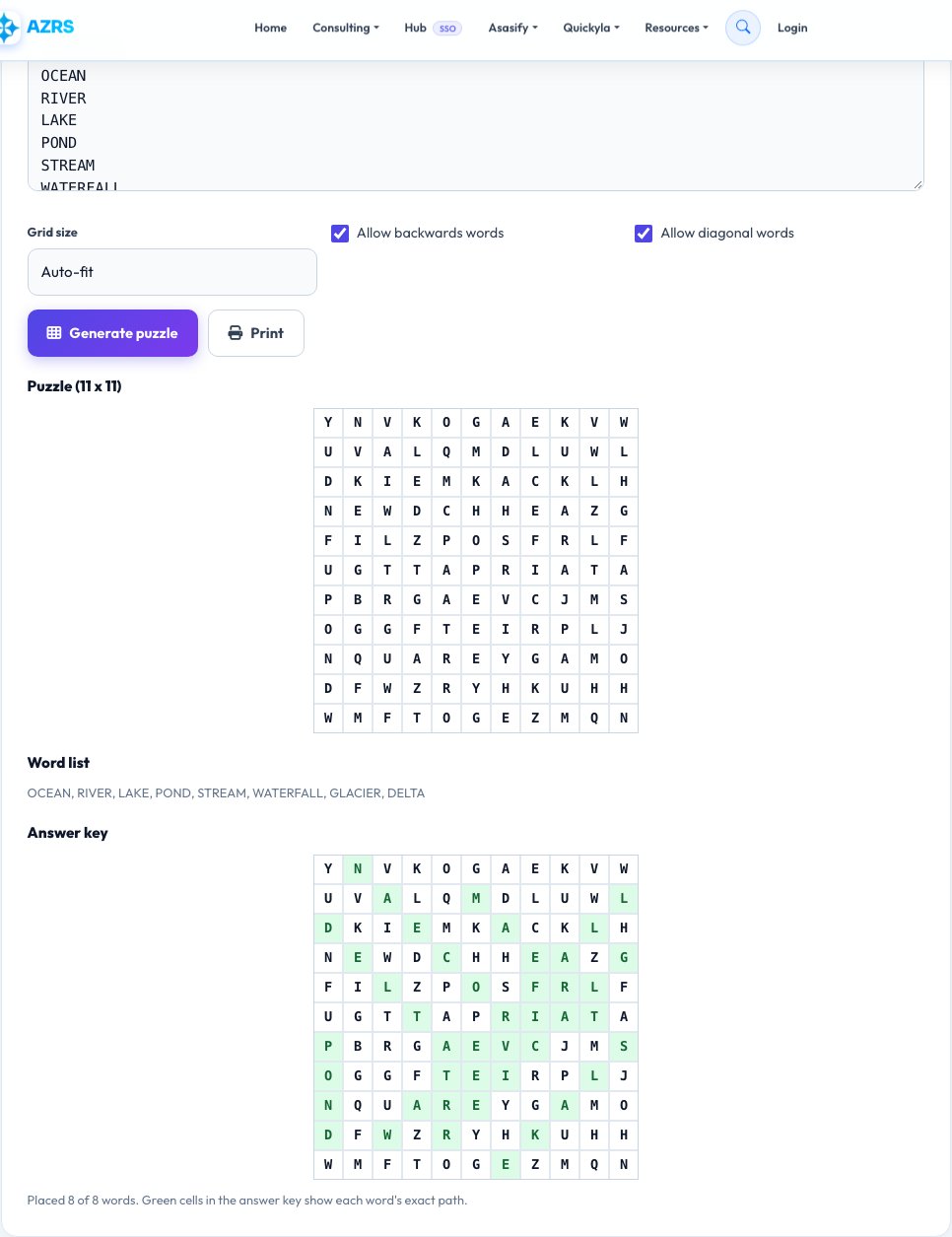
Type your list of words, one per line.
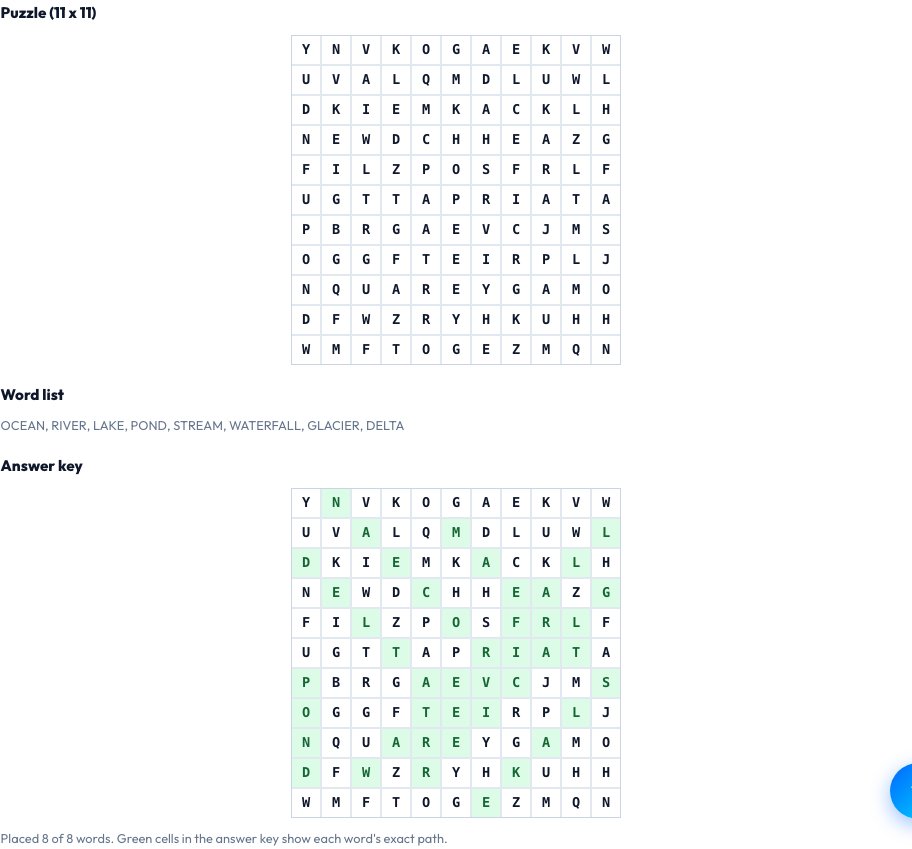 Download it
Choose whether backwards placement is allowed and the grid size.
Free Word Search Puzzle Generator — Custom & Printable
Type any list of words — a spelling list, a vocabulary theme, a set of names for a party game, a classroom topic — and this tool builds a real word search puzzle around them: it picks a grid size that comfortably fits your longest word and word count, places every word in a random direction (horizontally, vertically, diagonally, and optionally backwards), and fills every remaining empty cell with random letters so the words don't stand out.
Every puzzle comes with a matching answer key showing exactly where each word was placed, and both the blank puzzle and the answer key are formatted to print cleanly on a standard page. If a word genuinely can't fit given your other choices (too many long words for too small a grid), the tool tells you clearly rather than silently dropping it.
Key features
Your own custom word list
Not a fixed theme — puzzle content is entirely your words.
Randomized placement and directions
Words are placed in random positions and directions (including diagonals and optionally backwards) each time.
Automatic answer key
A matching solution grid is generated alongside the puzzle.
Print-ready layout
Clean formatting sized to fit a standard printed page.
How to use it
- Type your list of words, one per line.
- Choose whether backwards placement is allowed and the grid size.
- Click Generate to build the puzzle and its answer key.
- Print or download both.
Worked example
Example
Words: OCEAN, RIVER, LAKE, POND, STREAM -> a 12x12 grid with each word hidden in a random direction, surrounded by random filler letters, plus a matching answer key highlighting each word's exact path.
Who uses this tool
Teachers
Build a custom vocabulary or spelling word search matched to this week's lesson in seconds.
Parents
Make a themed puzzle for a birthday party, road trip or rainy afternoon activity.
Event and party planners
Create a quick custom activity sheet using names or theme words for an event.
Tips for the best results
- Keep the word list length reasonable relative to the grid size — a page full of very long words needs a larger grid to place them all without overlap conflicts.
- Enabling backwards placement makes puzzles noticeably harder — turn it off for younger solvers.
- Print a test copy first to confirm the grid and letters are legible at your printer's default settings.
- Keep the word list to a set that's meaningfully related (a theme) so it reads as a cohesive puzzle rather than a random word dump.
Common mistakes to avoid
- Adding too many long words for too small a grid, causing placement conflicts — start with a slightly larger grid if you have several long words.
- Forgetting to print or save the answer key separately, then not being able to check solutions later.
- Using very similar or overlapping words (like CAT and CATS) which can accidentally let one hide inside the other's letters.
Why use AZRS QuickFix?
It is 100% free, needs no signup and has no watermark or usage limits. The tool runs in your browser, so what you type stays on your device, and it works on phones, tablets and desktops. New tools are added every week — bookmark this page or browse the full QuickFix toolbox.
Frequently asked questions
Can I use my own words instead of a fixed theme?
Yes — every word in the puzzle comes directly from the list you type in; there's no fixed theme library to choose from instead.
Does it include an answer key?
Yes, a matching solution grid showing exactly where each word was hidden is generated alongside the puzzle.
Can words go diagonally or backwards?
Yes, words can be placed horizontally, vertically and diagonally, and backwards placement can be toggled on for a harder puzzle or off for an easier one.
What happens if a word doesn't fit?
The tool tells you clearly which word couldn't be placed rather than silently leaving it out, so you can shorten your list or choose a larger grid.
Is this free to use for a classroom or event?
Yes, generate and print as many puzzles as you like at no cost, no signup.
Is my word list sent anywhere?
No, the puzzle is generated entirely in your browser.