STL Weight, Centre of Mass & Moment of Inertia Calculator
Exact volume, mass, centre of gravity and inertia tensor of any STL, OBJ, 3MF or STEP model · free, no signup
See STL Weight, Centre of Mass & Moment of Inertia Calculator in action
Free STL Mass Properties Calculator — Weight, Centre of Mass & Inertia
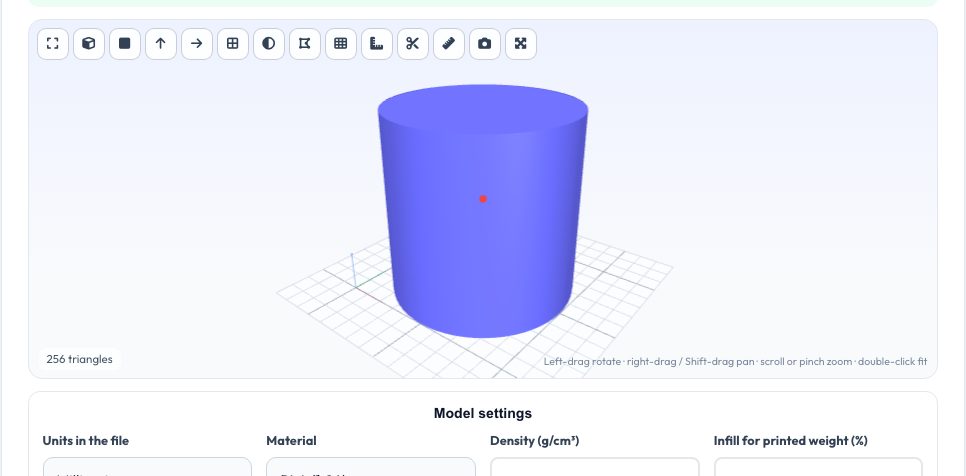
Knowing where a part balances matters for drones, rotating parts, robot arms, counterweights and anything you hang or spin. This tool reads a closed 3D model and computes its exact volume, mass in a chosen material, centre of mass and the full 3 × 3 inertia tensor, then diagonalises it to give the principal moments and axes. The centre of mass is marked with a red sphere in the viewer.
The maths is exact for the triangle mesh: the model is split into signed tetrahedra and their volume, first and second moments are summed, so there is no sampling error. Pick a material (PLA, PETG, aluminium, steel and more) or type a custom density, and the printed weight at a chosen infill percentage is estimated as well. Everything runs in your browser; the file is never uploaded.
Key features
Exact mass properties
Volume, mass, centroid and inertia tensor computed directly from the mesh.
Principal axes
Eigen-decomposition gives the principal moments, axes and radii of gyration.
17 materials
Plastics, metals, wood and water, or a custom density.
Printed weight
Estimates shell plus infill weight for FDM prints.
How to use it
- Drop in an STL, OBJ, 3MF or STEP file.
- Set the file units and choose a material.
- Read mass, centre of mass and inertia from the table.
- Tick the marker box to see the centre of mass in the model.
Worked example
Example
A 10 mm cube in density 1 g/cm³ weighs exactly 1 g, has its centre of mass at (5, 5, 5) and an inertia of 16.67 g·mm² about each axis. A 20 mm diameter, 20 mm long steel cylinder (7.85) weighs about 49 g.
Who uses this tool
Drone and robot builders
Find the balance point before flying or mounting.
Mechanical engineers
Inertia values for simulation and motor sizing.
3D printing users
Predict filament use and part weight.
Students
Check hand calculations of centroids and inertias.
Tips for the best results
- Repair the mesh first if it is not watertight — holes change the volume.
- Pick the right file units; inches vs millimetres is the most common error.
- Use the principal moments for rotating-part balance and vibration checks.
- Printed weight depends on slicer settings; treat it as ±15%.
Common mistakes to avoid
- Using a surface-only model with holes and trusting the volume.
- Entering density in kg/m³ instead of g/cm³.
- Forgetting hollow models: an STL of a hollow part counts the shell only if the inner cavity is modelled.
Why use AZRS QuickFix?
It is 100% free, needs no signup and has no watermark or usage limits. The tool runs in your browser, so what you type stays on your device, and it works on phones, tablets and desktops. New tools are added every week — bookmark this page or browse the full QuickFix toolbox.
Frequently asked questions
Is the centre of mass exact?
Yes for the mesh as given, assuming uniform density.
Are units millimetres?
Choose the file units and results are converted to mm, g and g·mm².
Does it handle several parts?
Multiple shells are treated as one solid with a shared centre of mass.
Is my file uploaded?
No — all processing happens in your browser.