Remove Image Foregrounds
Instantly 2026
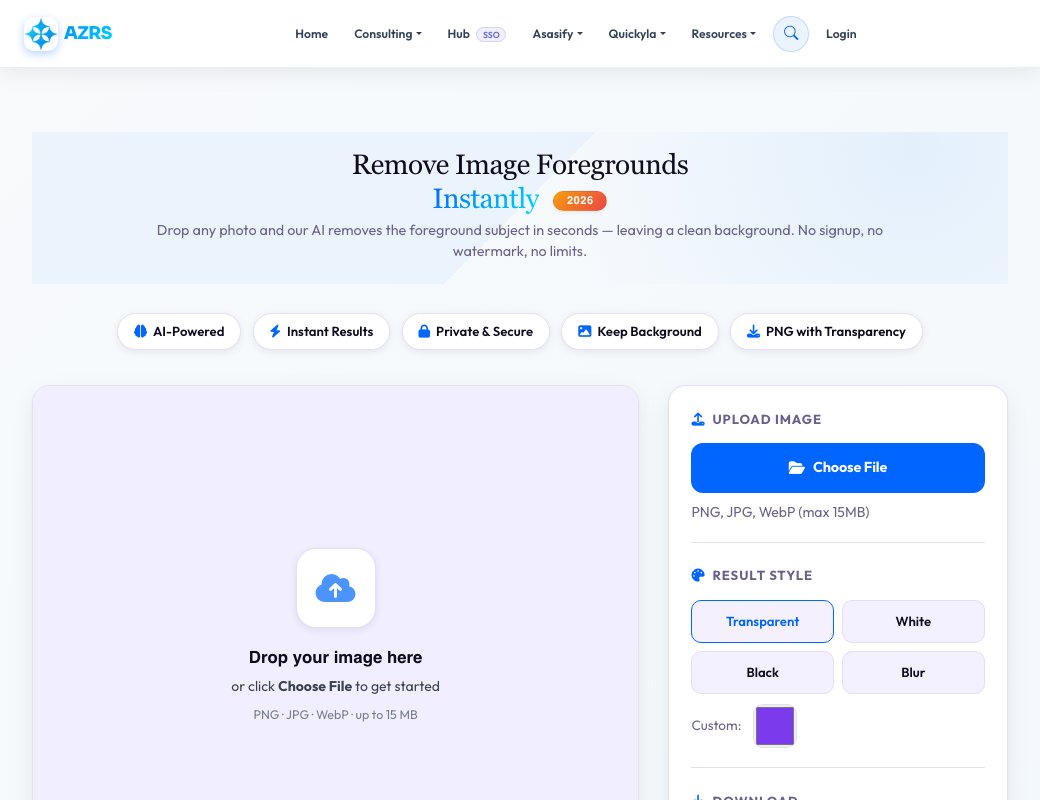
Drop any photo and our AI removes the foreground subject in seconds — leaving a clean background. No signup, no watermark, no limits.
Drop your image here
or click Choose File to get started
PNG · JPG · WebP · up to 15 MB
Processed via AI — your images stay private
The Best Free Foreground Remover in 2026
AZRS QuickFix uses advanced AI segmentation to detect foreground subjects in any photo and remove them with pixel-perfect accuracy — leaving your background clean and intact. This is the exact inverse of background removal: instead of keeping the subject, we erase it.
Whether you need to remove photobombers from vacation shots, eliminate distracting objects from landscapes, or clean up product photos — this tool handles it all at no cost, with no watermarks, no signup, and no daily limits.
Supported Input Formats
Three Steps to a Clean Background
Our AI pipeline uses the same technology that powers the best background removers — just inverted to erase the foreground instead.
Upload Your Image
Drag and drop or click Choose File. Supports PNG, JPG, WebP up to 15 MB.
AI Detects Foreground
Our neural network identifies foreground subjects — people, objects, pets — and creates a precise mask.
Foreground Removed
The foreground is erased, leaving your background transparent, solid-colored, or blurred.
Download HD PNG
Export a lossless PNG. No compression, no quality loss, no watermark added.
What People Use It For
Remove Photobombers
Erase unwanted people from your travel and landscape photos instantly.
Real Estate Photos
Remove cars, people, or clutter from property exterior shots.
Clean Backgrounds
Strip foreground elements to reveal pristine backgrounds for compositing.
Product Photography
Remove props or models after shooting, keeping just the setting.
Landscape Cleanup
Remove tourists, signs, or fences from scenic landscape shots.
Video Thumbnail Editing
Create clean background crops for YouTube and social media thumbnails.
See Free Foreground Remover — Extract Backgrounds Only in action
Free Foreground Remover — Extract Backgrounds Only
This is the mirror image of a background remover: instead of keeping the subject and dropping the background, it detects and removes the main foreground subject and keeps everything behind it — useful when you want a clean empty-scene shot or need to isolate just the background layer for editing.
Like the background remover, it works entirely in-browser with a canvas-based workflow, a recent-images history strip, and an option to fill the removed area with a solid colour instead of leaving it transparent.
Key features
Automatic foreground detection
Detects the main subject in the frame and removes it, leaving the background behind.
Transparent PNG export
Download the result with the foreground area transparent, ready for further editing.
Solid colour fill
Fill the removed foreground area with a chosen colour instead of transparency.
Local history strip
Recently processed images are kept available so you can return to an earlier result.
How to use it
- Drop an image onto the canvas area or click Choose File.
- Wait while the foreground subject is detected and removed.
- Optionally choose a fill colour for the removed area.
- Download the result as a PNG.
Worked example
Example
You have a photo of a park bench with a person sitting on it, and you want an empty-bench version for a background/texture library. Upload the photo and the tool removes the person, leaving the bench and park scene intact and ready to download.
Who uses this tool
Designers & photographers
Isolate a clean background plate from a photo that had a subject in front of it.
Content creators
Produce an empty-scene version of a photo for overlays, compositing or backdrops.
Students
Explore how foreground/background image segmentation works in a hands-on way.
Tips for the best results
- Works best when the foreground subject is clearly distinguishable from the background scene.
- Use the colour-fill option if a solid patch looks cleaner than transparency for your use case.
- Very complex scenes with multiple overlapping subjects may need a second pass or manual touch-up elsewhere.
- Keep the original photo so you can re-run with a different fill colour if needed.
Common mistakes to avoid
- Confusing this with the background remover — this tool removes the subject and keeps the scene, the other way round.
- Uploading a very cluttered scene and expecting a perfectly clean background reconstruction.
- Forgetting to download before leaving the page.
Why use AZRS QuickFix?
It is 100% free, needs no signup and has no watermark or usage limits. The tool runs in your browser, so what you type stays on your device, and it works on phones, tablets and desktops. New tools are added every week — bookmark this page or browse the full QuickFix toolbox.
Frequently asked questions
Is the foreground remover free?
Yes, free with no signup and no watermark.
How is this different from a background remover?
A background remover keeps the subject and removes what's behind it; this tool does the opposite — it removes the subject and keeps the scene.
Do I get a transparent result?
Yes by default, or you can fill the removed area with a solid colour instead.
Is my image uploaded anywhere?
Processing happens in your browser session; images aren't stored beyond the local history strip.
What image formats are supported?
Common image formats — check the supported-formats section on the page for the current list.
Can I undo a fill colour choice?
Yes, re-select the image from the history strip and choose a different colour or leave it transparent.