Browser Privacy & Fingerprint Test
See exactly what websites can learn about your browser without asking · free, no signup
| Signal | Value | Identifying |
|---|
See Browser Privacy & Fingerprint Test in action
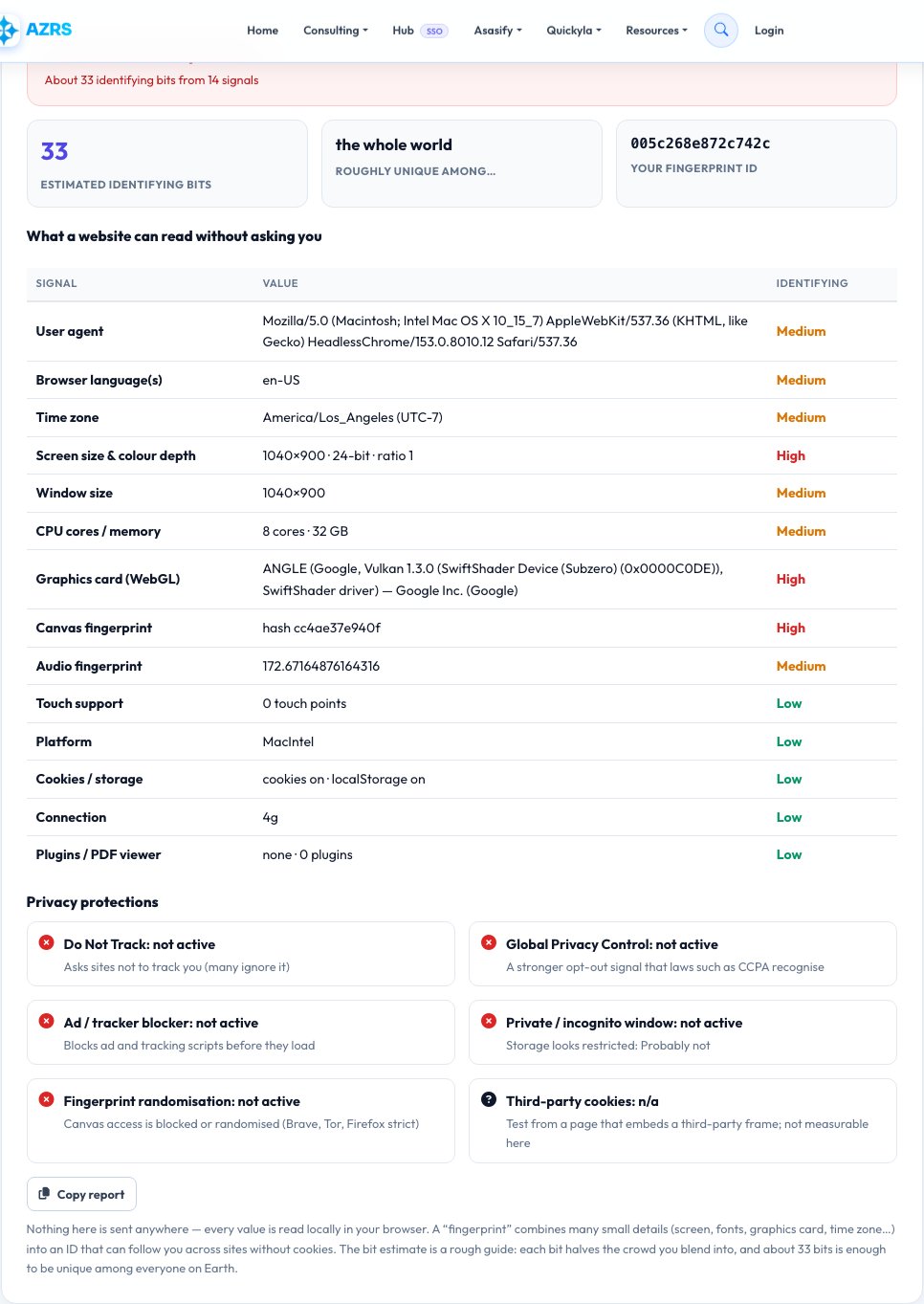
Browser Privacy and Fingerprint Test — What Can Websites See About You?
Websites can identify your browser without cookies by combining dozens of small details: your screen size, time zone, languages, graphics card, how your device draws text on a canvas, how it processes audio, and more. Together these form a “fingerprint” that can follow you across sites. This test reads all of those signals on your device, shows them in a table, rates how identifying each one is, and turns them into a fingerprint ID and an estimate of how unique your browser is.
It also checks the protections you have: whether an ad or tracker blocker is running, whether Do Not Track and Global Privacy Control are on, whether the canvas fingerprint is blocked or randomised (as in Brave, Firefox strict mode and Tor Browser), and whether this looks like a private window. Nothing leaves your browser — the test only reads what any website could read.
Key features
Fingerprint ID and uniqueness
A hash of your signals plus an estimate of identifying bits.
14 signals explained
Screen, GPU, canvas, audio, fonts, time zone, languages and more.
Protection checks
Ad blocker, DNT, Global Privacy Control, randomisation, private mode.
100% local
Nothing is uploaded or stored.
How to use it
- Open the page — the test runs automatically.
- Read the summary: easy to track, fairly distinctive or blends in.
- Review which signals are High or Medium identifying.
- Change a setting or browser and run it again to compare.
Worked example
Example
26 identifying bits → “Your browser is fairly distinctive”; ad blocker detected; Global Privacy Control off.
Who uses this tool
Privacy-conscious users
See how trackable your browser really is.
Developers and marketers
Understand what data a page can collect.
Users of privacy tools
Confirm that Brave, Firefox or an extension is doing its job.
Tips for the best results
- Use a browser with fingerprint protection (Brave, Firefox strict, Tor).
- Add an ad and tracker blocker such as uBlock Origin.
- Turn on Global Privacy Control in Firefox or Brave.
- Avoid rare customisations — unusual settings make you easier to identify.
Common mistakes to avoid
- Thinking cookies are the only way to be tracked.
- Using many unusual extensions or fonts, which makes you stand out.
- Assuming a private window hides your fingerprint — it does not.
Why use AZRS QuickFix?
It is 100% free, needs no signup and has no watermark or usage limits. The tool runs in your browser, so what you type stays on your device, and it works on phones, tablets and desktops. New tools are added every week — bookmark this page or browse the full QuickFix toolbox.
Frequently asked questions
What is a browser fingerprint?
A combination of many small browser and device details that is often unique enough to recognise you without cookies.
How is uniqueness estimated?
Each signal adds a rough number of identifying bits. About 33 bits can single out one person among everyone on Earth. It is a guide, not a lab measurement.
Does a VPN change my fingerprint?
No. A VPN hides your IP address, but the fingerprint comes from your browser and device.
What is Global Privacy Control?
A browser signal that tells websites not to sell or share your data; some laws require sites to honour it.
Is this test safe?
Yes. It reads only what any website can read and sends nothing.
How do I lower my fingerprint?
Use fingerprint-resistant browsers, keep a common window size and language, and limit extensions.