3D Print Troubleshooting Guide — Fix Stringing, Warping & More
Pick a symptom and get the likely causes and exact fixes, ranked from most to least likely · free, no signup
See 3D Print Troubleshooting Guide — Fix Stringing, Warping & More in action
3D Print Troubleshooting Guide — Symptoms, Causes & Fixes
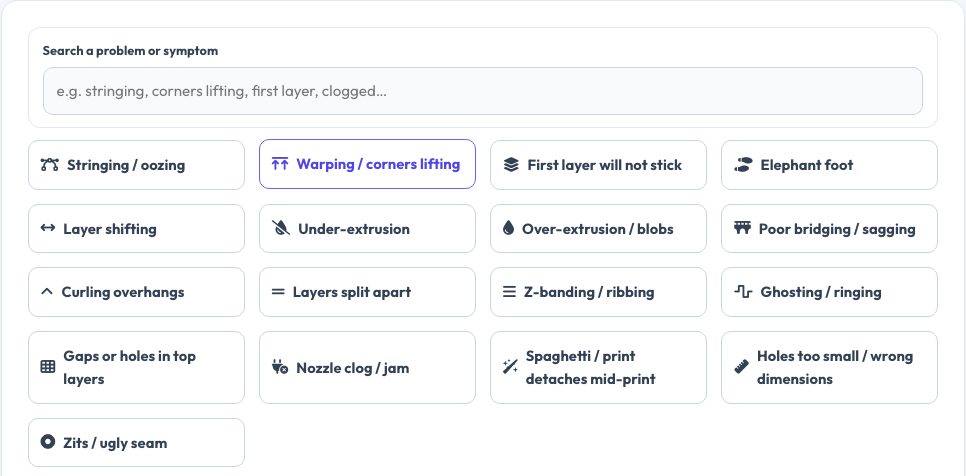
When a print goes wrong the hardest part is knowing what to change. Choose the symptom — stringing, corners lifting, first layer will not stick, layer shifting, under-extrusion, ringing, clogs, spaghetti and more — and see a short description of what it looks like followed by causes ranked from most to least likely, each with a concrete fix and numbers such as temperatures, speeds and retraction distances.
The advice applies to typical FDM printers (Marlin, Klipper, Bambu, Prusa) and common materials. Search by word to find the right problem, change one thing at a time, and re-test with a small calibration print.
Key features
17 problems
The most common print failures.
Ranked causes
Start with the most likely culprit.
Concrete numbers
Temperatures, speeds, retraction and cooling.
Search
Find problems by keyword.
How to use it
- Search or tap the symptom.
- Read what it looks like to confirm.
- Try the first fix, then the next.
- Re-print a small test.
Worked example
Example
Stringing on PLA: dry the filament, lower the nozzle by 5 °C, set direct-drive retraction to 1 mm at 40 mm/s and raise travel speed to 150 mm/s.
Who uses this tool
Beginners
Learn what each symptom means.
Makers
Fix recurring problems fast.
Print farms
Standard reference for troubleshooting.
Teachers
Classroom guide.
Tips for the best results
- Change one setting at a time.
- Keep filament dry.
- Calibrate e-steps and flow before tuning other settings.
- Use a calibration cube for each change.
Common mistakes to avoid
- Changing several settings at once.
- Blaming the slicer when the bed is dirty.
- Skipping mechanical checks.
Why use AZRS QuickFix?
It is 100% free, needs no signup and has no watermark or usage limits. The tool runs in your browser, so what you type stays on your device, and it works on phones, tablets and desktops. New tools are added every week — bookmark this page or browse the full QuickFix toolbox.
Frequently asked questions
Does it work for resin printers?
No, these are FDM problems.
Which printers does it apply to?
Any cartesian or CoreXY filament printer.
Are temperatures for PLA?
Mostly, with material notes where they differ.
Is it free?
Yes.