HTML Entity Encoder / Decoder
Encode or decode &, <, © and more · free, no signup
How HTML Entity Encoder / Decoder works, step by step
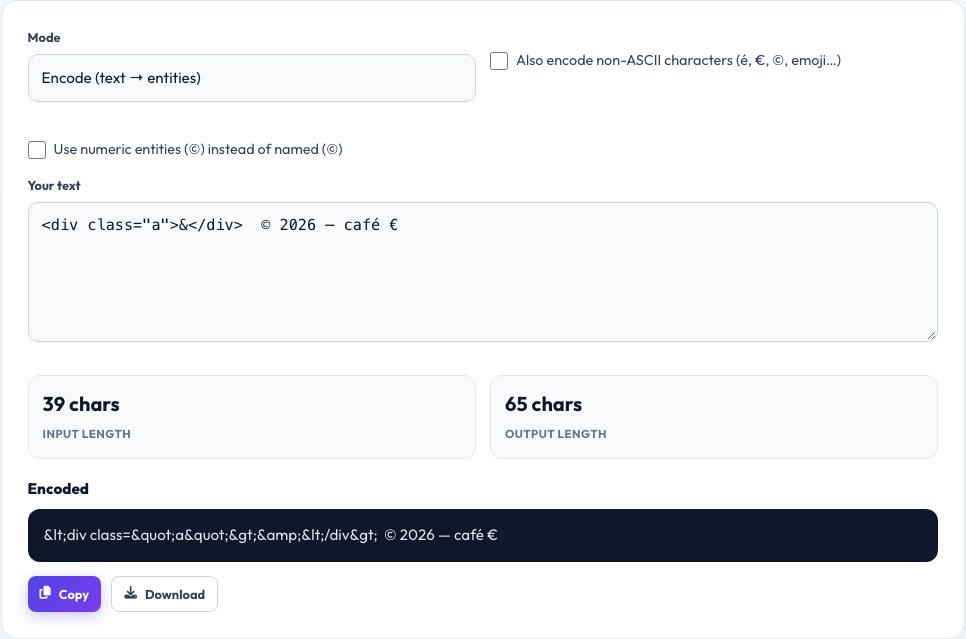
Paste your text or HTML.
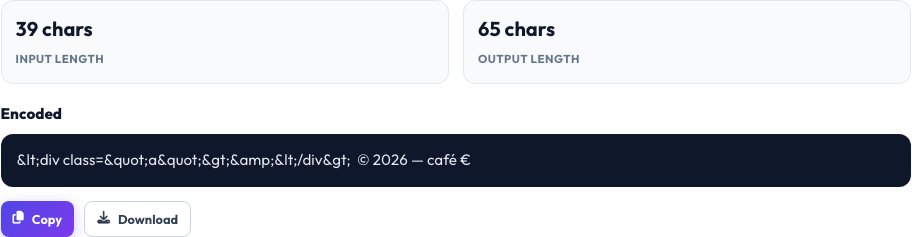 Download it
Choose Encode or Decode.
Free HTML Entity Encoder and Decoder — Escape and Unescape HTML
HTML entities are codes such as < and & that represent characters with special meaning in HTML or that are hard to type, such as © and €. Escaping user text as entities prevents it from being read as markup — an important step in avoiding broken pages and cross-site scripting (XSS) — while decoding turns entities back into readable characters.
Paste text and choose Encode to convert the characters that must be escaped, or tick “encode all non-ASCII” to turn accents, symbols and emoji into numeric entities. Choose Decode to convert named entities (©, €, ) and numeric entities (€, €) back into characters. The conversion is live and copy-ready.
Key features
Encode and decode
Both directions with one click.
Named and numeric
Understands © as well as © and ©.
Non-ASCII option
Escape every non-ASCII character if you need to.
Copy in one click
Ready to paste into HTML or templates.
How to use it
- Paste your text or HTML.
- Choose Encode or Decode.
- Adjust options such as encoding non-ASCII characters.
- Copy the converted result.
Worked example
Example
Encode: <div class="a">&</div> → <div class="a">&</div> Decode: © € € → © € €
Who uses this tool
Web developers
Safely display code samples and user input.
Content editors
Fix broken symbols in CMS text.
Security-minded teams
Escape output to help prevent XSS.
Tips for the best results
- Always escape user-generated text before inserting it into HTML.
- Use UTF-8 for your pages so most characters need no entities.
- Escape quotes inside attribute values.
- Decode only content you trust.
Common mistakes to avoid
- Encoding twice, which produces &amp;.
- Decoding untrusted content and then inserting it as HTML.
- Forgetting the semicolon at the end of an entity.
Why use AZRS QuickFix?
It is 100% free, needs no signup and has no watermark or usage limits. The tool runs in your browser, so what you type stays on your device, and it works on phones, tablets and desktops. New tools are added every week — bookmark this page or browse the full QuickFix toolbox.
Frequently asked questions
What is an HTML entity?
A text code, such as &, that stands for a character in HTML.
Which characters must be escaped?
At minimum &, <, >, and quotes inside attributes.
What is the difference between named and numeric entities?
Named use words (€), numeric use code points (€).
What is ?
A non-breaking space that prevents a line break.
Does encoding prevent XSS?
Escaping output is a key defence, alongside other security practices.
Is it free?
Yes.