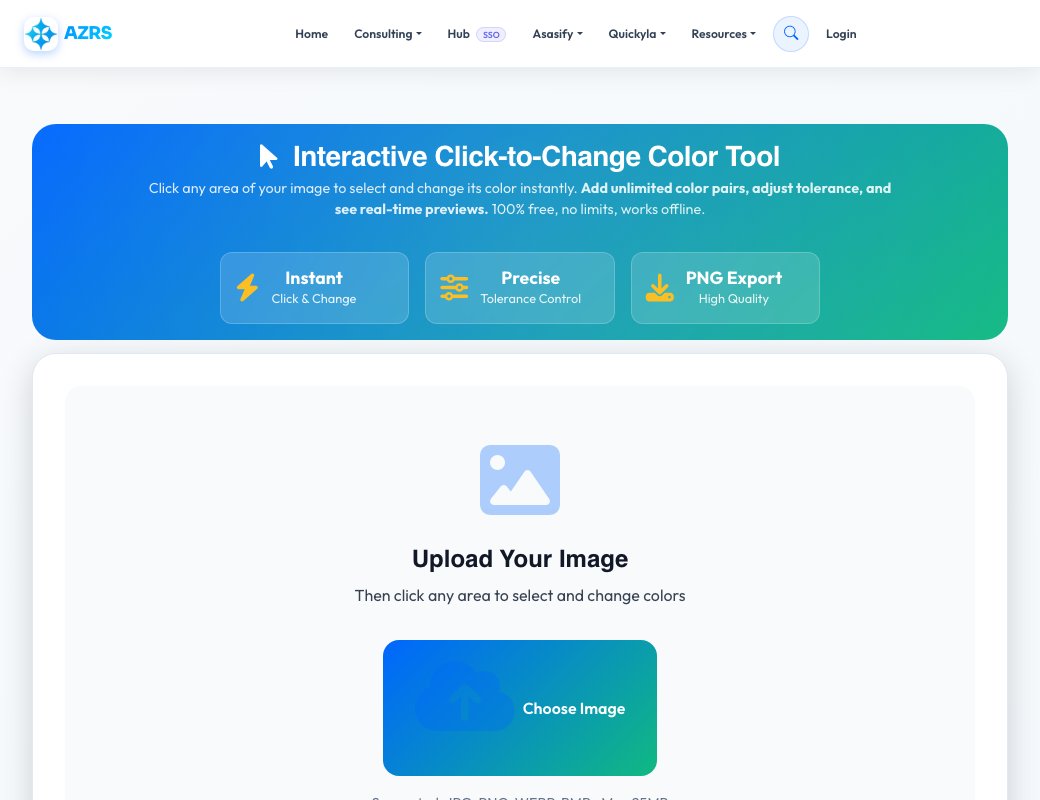
Interactive Click-to-Change Color Tool 2026
Click any area of your image to select and change its color instantly. Add unlimited color pairs, adjust tolerance, and see real-time previews. 100% free, no limits, works offline.
Upload Your Image
Then click any area to select and change colors
Supported: JPG, PNG, WEBP, BMP • Max 25MB
Color Pairs
Settings
History
Perfect For Every Project
Fashion & Apparel
Change clothing colors for online stores, product catalogs, and fashion mockups.
Interior Design
Visualize different wall colors, furniture tones, and decor options.
Vehicle Customization
Preview different car paint colors and vehicle color schemes.
Graphic Design
Quickly test color combinations for logos, branding, and creative projects.
E-Commerce
Create product variations showing different colors without multiple photo shoots.
Rebranding
Update brand colors across marketing materials and product images.
Photo Editing
Change specific colors in photos without affecting the entire image.
UI/UX Design
Test color schemes for apps, websites, and user interfaces.
The Most Advanced Free Color Changer Tool in 2026
Welcome to AZRS Corp's Interactive Color Changer - the most intuitive and powerful tool for changing specific colors in images. Unlike traditional color replacement tools that require complex selections or masks, our revolutionary click-to-change system lets you simply click any area to select and replace its color instantly. Perfect for designers, e-commerce sellers, photographers, and anyone who needs precise color control.
Click-Based Color Selection
Our innovative interface makes color changing effortless. Simply click anywhere on your image to automatically detect and select that color. The AI-powered detection system identifies the exact color value at your click point and highlights all similar colors based on your tolerance setting. No need for complex selection tools, magic wands, or manual masking - just point and click.
Unlimited Color Pairs
Change as many different colors as you need in a single session. Add unlimited color pairs, each targeting a different color in your image. Want to change red to blue, green to yellow, and black to purple all at once? No problem. Each pair operates independently, giving you complete control over your color transformations. All changes apply simultaneously for instant results.
Precision Tolerance Control
The tolerance slider (0-100) gives you pixel-perfect control over which colors get replaced. Low tolerance (0-20) targets only exact color matches, perfect for solid colors and sharp boundaries. Medium tolerance (20-50) includes similar shades, ideal for gradients and soft edges. High tolerance (50-100) captures broad color ranges, useful for replacing colors across varying lighting conditions. Adjust in real-time to see exactly what will be affected before applying changes.
100% Client-Side Processing
All color changes happen directly in your web browser using advanced JavaScript and HTML5 Canvas technology. Your images never leave your device - they're never uploaded to our servers or stored anywhere. This means complete privacy, faster processing, and the ability to work offline once the page loads. No data tracking, no image storage, no privacy concerns.
Professional Features
Beyond basic color changing, our tool includes professional-grade features: unlimited undo/redo to experiment freely, real-time preview to see changes before applying, visual color picker with eyedropper for precise color selection, instant PNG download with transparency support, and keyboard shortcuts for faster workflow. The interface is clean, intuitive, and works perfectly on both desktop and mobile devices.
Perfect for Every Use Case
Whether you're an e-commerce seller creating product variations, a graphic designer testing color schemes, an interior designer visualizing paint colors, a fashion retailer showing apparel options, or a photographer correcting specific colors - our tool handles it all. Change clothing colors, recolor walls, adjust vehicle paint, update brand colors, fix color casts, or create artistic color effects with ease.
Start changing colors now - completely free, unlimited use, no signup required! Works perfectly on desktop, tablet, and mobile devices.
See Interactive Image Color Changer in action
Interactive Image Color Changer
This tool swaps specific colours in an image for new ones, driven by click-to-select colour pairs rather than a whole-image filter. Click a colour in the uploaded image to set it as the 'from' colour, choose the 'to' colour, and only pixels close to that original colour change — a tolerance slider controls how wide that match range is.
You can stack multiple colour pairs at once (e.g. change red to blue and green to yellow in the same pass), and full undo/redo history lets you experiment freely before downloading the final image.
Key features
Click-to-select colour swapping
Click directly on the colour in the image you want to change, rather than guessing a hex code.
Unlimited colour pairs
Queue up multiple from/to colour swaps and apply them together in one pass.
Tolerance control
A slider adjusts how close a pixel's colour needs to be to the target to get swapped, from exact matches to a broad range.
Full undo/redo
Every swap is tracked in history so you can step backward or forward through your edits.
How to use it
- Upload an image onto the canvas.
- Click a colour in the image to set it as the colour to replace.
- Pick the replacement colour and adjust the tolerance slider.
- Add more colour pairs if needed, preview live, then download.
Worked example
Example
You have a product photo with a red logo but need a blue version for a different market. Click the red in the logo, set blue as the replacement, and the tool recolours just the logo's red pixels while leaving the rest of the photo untouched.
Who uses this tool
Online sellers
Create colour variants of a product photo without reshooting.
Designers
Quickly test a different colour scheme on a mockup or icon set.
Hobbyists
Recolour a graphic or artwork element without opening a full photo editor.
Tips for the best results
- Start with a lower tolerance for precise, targeted swaps, and raise it if some shaded pixels get missed.
- Zoom into detailed areas before clicking so you select exactly the right shade.
- Use multiple colour pairs in one session to recolour a multi-coloured logo or icon in a single export.
- Use undo liberally — it's a fast way to compare a swap against the original.
Common mistakes to avoid
- Setting the tolerance too high, which can accidentally recolour unrelated pixels that happen to be a similar shade.
- Clicking on an anti-aliased edge pixel instead of the solid colour fill, which can pick an unexpected blended shade.
- Forgetting to download before closing the tab — there's no auto-save between sessions.
Why use AZRS QuickFix?
It is 100% free, needs no signup and has no watermark or usage limits. The tool runs in your browser, so what you type stays on your device, and it works on phones, tablets and desktops. New tools are added every week — bookmark this page or browse the full QuickFix toolbox.
Frequently asked questions
Is the color changer free?
Yes, it's completely free and runs in your browser.
Do I need to know the hex code of the colour?
No, just click the colour directly in the image and the tool reads it for you.
Can I change more than one colour at a time?
Yes, add as many colour pairs as you need before applying and downloading.
What does the tolerance slider do?
It controls how close a pixel's shade must be to your selected colour to be included in the swap — low for exact matches, high for a broader range.
Is my image uploaded to a server?
No, all colour processing happens locally in your browser.
Can I undo a mistake?
Yes, the tool keeps a full undo/redo history so you can step back through your edits.