Gamepad & Controller Tester
Test every button, stick, trigger and vibration — and check for stick drift · free, no signup
See Gamepad & Controller Tester in action
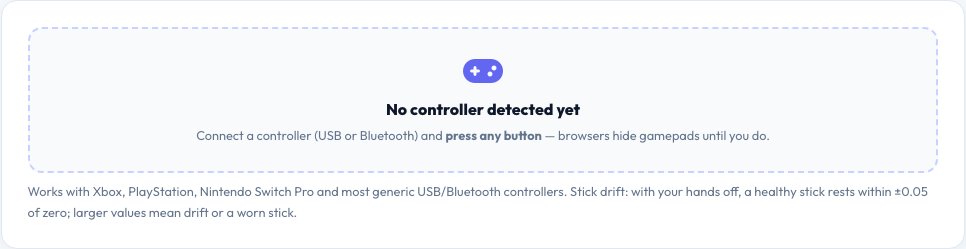
Free Online Gamepad Tester — Buttons, Sticks, Triggers and Stick Drift
Plug in or pair a controller, press any button and this tester shows it instantly: every button lights up with its name, triggers show how far they are pressed, and both analogue sticks are drawn live with their exact axis values. It works with Xbox, PlayStation DualShock and DualSense, Nintendo Switch Pro and most generic USB or Bluetooth pads.
Use it to check a new or second-hand controller, find a button that does not register, test vibration, and detect stick drift — the common fault where a stick reports movement while you are not touching it. The drift check watches the sticks for two seconds and tells you how far they wander from centre. Everything runs in your browser using the Gamepad API; nothing is sent anywhere.
Key features
Every button and trigger
Named buttons with analogue pressure for triggers.
Live stick view
Both sticks with axis values to two decimals.
Stick-drift check
Two-second rest test with a clear pass or fail.
Vibration test
Runs the rumble motors so you can feel them.
How to use it
- Connect your controller by USB or Bluetooth.
- Press any button so the browser reveals it.
- Press every button and move both sticks in full circles.
- Click Check stick drift with your hands off the controller.
Worked example
Example
Left stick resting at (0.00, 0.00) → healthy.\nResting at (0.12, −0.08) → stick drift; clean the module or replace it.
Who uses this tool
Gamers
Check a controller for drift or dead buttons before an important match.
Buyers of used controllers
Verify every input works before you pay.
Repair shops and streamers
Diagnose faults quickly on any platform.
Tips for the best results
- Pair the controller by cable first — Bluetooth adds delay and can drop inputs.
- Test with your thumbs off the sticks for the drift check.
- If the browser shows no controller, press a button and reconnect once.
- Some controllers have a mode switch (X / D / S) that changes how they appear.
Common mistakes to avoid
- Judging drift while a thumb rests on the stick.
- Assuming a controller is broken when it is in the wrong input mode.
- Testing through a wireless dongle that is far away.
Why use AZRS QuickFix?
It is 100% free, needs no signup and has no watermark or usage limits. The tool runs in your browser, so what you type stays on your device, and it works on phones, tablets and desktops. New tools are added every week — bookmark this page or browse the full QuickFix toolbox.
Frequently asked questions
Why does the tester not see my controller?
Browsers hide gamepads until you press a button. Press any button, then it appears. Also make sure no other app has exclusive control.
What is stick drift?
The stick reports movement at rest, so a character or camera creeps on its own. It is caused by dust, wear or a failing potentiometer.
How much drift is normal?
Values within about ±0.05 of zero are normal. Larger resting values usually mean drift.
Does it support PlayStation and Xbox controllers?
Yes — Xbox, DualShock 4, DualSense, Switch Pro and most generic pads using the standard mapping.
Can I test vibration?
Yes, in browsers that support it (Chrome and Edge). The button sends a short dual-motor rumble.
Is anything uploaded?
No. Input is read locally in your browser.