SVG to STL Extruder (Logo / Silhouette to 3D)
Extrude SVG shapes into a printable STL with holes, base plate and keyring option · free, no signup
See SVG to STL Extruder (Logo / Silhouette to 3D) in action
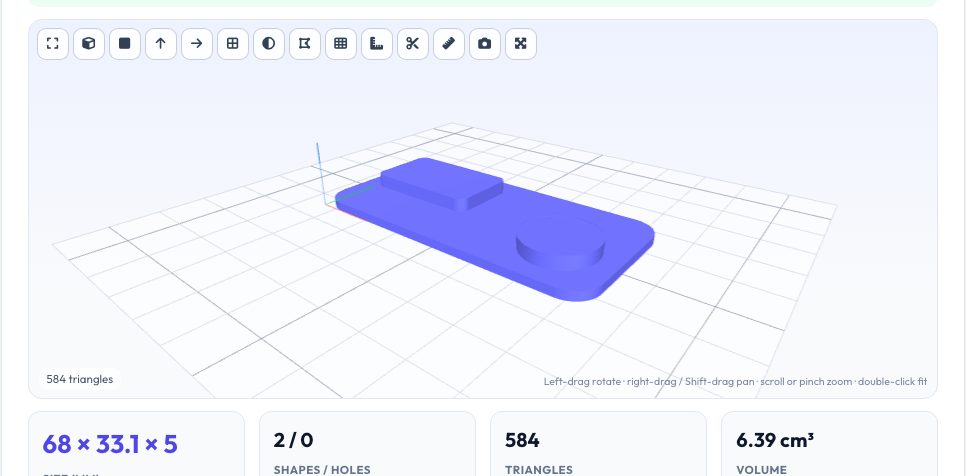
Free SVG to STL Extruder
Turn a flat vector drawing into a solid model. The extruder reads your SVG (or DXF), flattens every curve to the accuracy you choose, groups the closed shapes by nesting so that shapes inside others become holes (the counter in an O, the hole in a washer), and extrudes the result to the thickness you set. You pick the final width in millimetres, so a logo drawn in pixels comes out at a precise physical size.
A base-plate option puts the extruded shapes on a rectangle, rounded rectangle or a silhouette-hugging offset outline, and a keyring option adds an ear with a hole — a quick way to make keychains, badges, cookie-cutter bases and signs. Download STL or 3MF. Open paths and strokes are ignored with a note, because they have no area to extrude.
Key features
Correct nesting
Shapes inside shapes become holes, so letters and rings work.
Exact size
Scale to a target width in millimetres.
Base plate & keyring
Rectangle, rounded or silhouette plate with an optional hole.
STL & 3MF
Closed manifold meshes ready for slicing.
How to use it
- Drop in an SVG (or DXF).
- Set the width, extrusion height and units.
- Choose a base plate and optional keyring hole.
- Download the STL or 3MF.
Worked example
Example
A 60 mm wide logo SVG with a letter ‘O’ extruded 3 mm over a 2 mm rounded base plate gives a model about 5 mm tall (2 + 3) with the counter of the ‘O’ preserved as a real hole.
Who uses this tool
Makers and small businesses
Custom keychains, badges and signs.
Cookie and stamp makers
Cutters and stamps from vector art.
Students
Turn drawings into physical models quickly.
Tips for the best results
- Convert strokes to filled shapes before exporting from Inkscape/Illustrator.
- Merge overlapping shapes (Path ▸ Union) for cleaner meshes.
- Keep thin features at least 0.8–1.2 mm wide for FDM.
- Check units: 'Auto' uses the SVG's width/viewBox.
Common mistakes to avoid
- Importing text that has not been converted to paths.
- Expecting overlapping shapes to merge into one solid.
- Making details thinner than the nozzle.
Why use AZRS QuickFix?
It is 100% free, needs no signup and has no watermark or usage limits. The tool runs in your browser, so what you type stays on your device, and it works on phones, tablets and desktops. New tools are added every week — bookmark this page or browse the full QuickFix toolbox.
Frequently asked questions
How are holes detected?
By nesting depth: shapes inside shapes alternate between solid and hole.
What about open paths?
They are ignored because they cannot be extruded.
Does it support DXF?
Yes — closed polylines and circles.
Is it private?
Yes.