Speaker & Headphone Test (Left / Right)
Check left and right channels, balance and wiring on any speakers or headphones · free, no signup
See Speaker & Headphone Test (Left / Right) in action
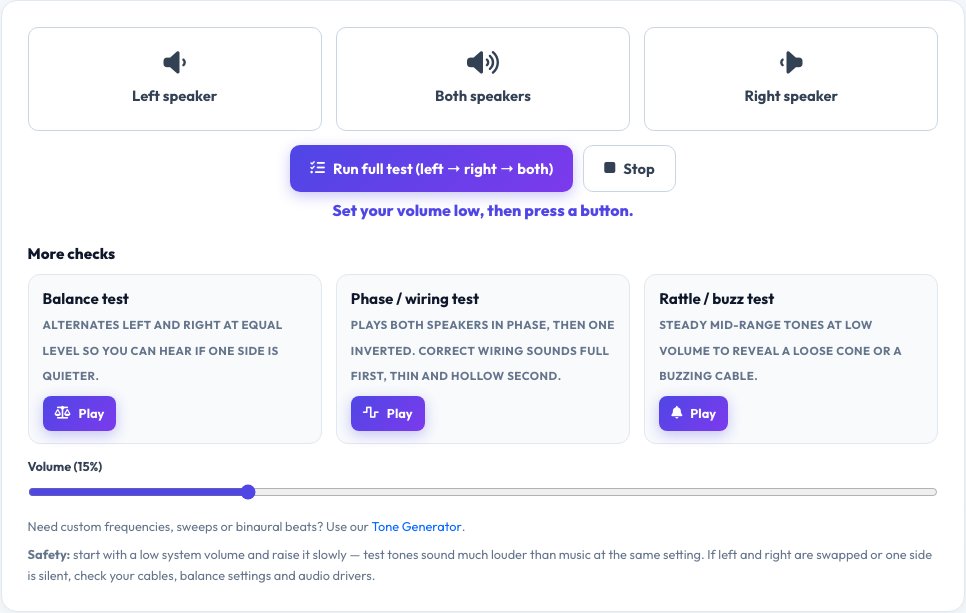
Free Speaker and Headphone Test — Left, Right, Balance and Phase
Find out in seconds whether both speakers or both headphone drivers work and are connected the right way round. Press Left, Right or Both and a test tone plays through only that channel, with plain-language feedback about what you should hear. A full test runs left, right and both in sequence.
Three extra checks find the faults a simple left/right test misses: a balance test alternates the channels at equal level so you can hear if one side is quieter, a phase test plays the speakers in phase and then with one inverted (a full sound followed by a thin, hollow one means correct wiring), and a rattle test plays steady mid-range tones at low volume to reveal a loose cone or buzzing cable. Volume starts low for safety and everything is generated in your browser. For custom frequencies, sweeps and binaural beats, use our Tone Generator.
Key features
Left / right / both
Channel test with clear on-screen guidance.
Balance test
Alternating channels at equal level.
Phase / wiring test
Finds swapped speaker polarity.
Rattle and buzz test
Steady tones to reveal loose parts and bad cables.
How to use it
- Turn your system volume down, then press Left, Right or Both.
- Check the sound comes from the correct side.
- Run the balance, phase and rattle tests.
- Fix cables, balance or drivers if anything sounds wrong.
Worked example
Example
Left → sound only in the left ear/speaker ✓. Right → only right ✓. Phase test: first tone full, second thin → speakers are wired correctly.
Who uses this tool
Headphone and speaker buyers
Check channels before returning a product.
Home-theatre and PC users
Verify left/right placement and wiring.
Musicians and audio students
Learn how phase and balance sound.
Tips for the best results
- Set your system volume low first — test tones sound louder than music.
- If left and right are swapped, check your headphone cable and balance setting.
- Test with audio enhancements switched on and off.
- Use a wired connection; Bluetooth can add delay and processing.
Common mistakes to avoid
- Playing a tone at high volume, which can hurt your ears.
- Testing Bluetooth audio that adds channel processing.
- Ignoring a hollow phase test when the speakers are placed close together.
Why use AZRS QuickFix?
It is 100% free, needs no signup and has no watermark or usage limits. The tool runs in your browser, so what you type stays on your device, and it works on phones, tablets and desktops. New tools are added every week — bookmark this page or browse the full QuickFix toolbox.
Frequently asked questions
How do I test my left and right speakers?
Press Left, then Right. Each should play only from its own side.
What does the phase test do?
It plays both speakers together, then one inverted. Correct wiring sounds full first and thin second; the opposite means one speaker has its + and − swapped.
What is the balance test for?
It alternates left and right at exactly the same level, so any difference in loudness points to a balance setting or a weak driver.
Why does one speaker sound quieter?
Check the balance control, cable connections and the speaker itself.
Where can I make custom tones?
Use our Tone Generator for frequencies, sweeps and binaural beats.
Is it safe for my speakers?
Yes at the limited volume provided; always start with your system volume low.