Camera Workout Mode (AI Circuit Coach)
Chain squats, push-ups, planks and more: the camera counts and the voice coaches · free, no signup
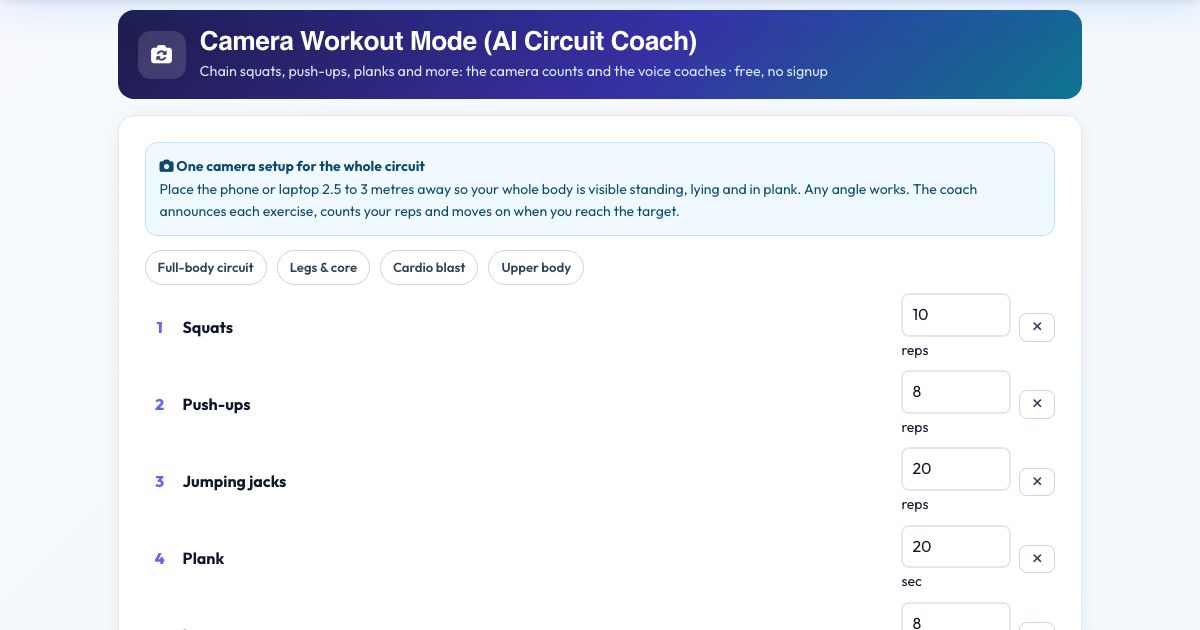
Place the phone or laptop 2.5 to 3 metres away so your whole body is visible standing, lying and in plank. Any angle works. The coach announces each exercise, counts your reps and moves on when you reach the target.
Voice & sounds
See Camera Workout Mode (AI Circuit Coach) in action
Camera Workout Mode (AI Circuit Coach)
Instead of opening a different counter for each exercise, set up your camera once and run a whole workout. Pick a ready-made circuit (full body, legs and core, cardio blast, upper body) or build your own from squats, push-ups, sit-ups, crunches, lunges, burpees, jumping jacks, pull-ups, jump rope, high knees, mountain climbers and planks, and set a target for each.
The voice coach says 'Next up, squats, 10 reps', counts down 3, 2, 1, then counts every rep the camera sees. When you reach the target (or finish the plank time) it says 'Done!', gives you a rest and starts the next exercise. All angles work because joint angles are measured in 3D. At the end you get a summary and every exercise is saved to your Workout Log.
Key features
12 camera-counted exercises
Reps and plank holds.
Automatic hand-over
Moves on when you reach the target.
Ready-made circuits
Or build your own.
Rest and countdown between exercises
Spoken.
Any camera angle
3D pose measurement.
Natural Kokoro voice
Or your device voice.
Saves to your Workout Log
One entry per exercise.
How to use it
- Pick a circuit or add exercises and set targets.
- Press Start camera workout and place the camera so your whole body is visible.
- Follow the voice. Reps are counted for you and it moves on at the target.
- Finish and review your summary.
Worked example
Example
Full-body circuit: squats 10, push-ups 8, jumping jacks 20, plank 20 seconds, lunges 8, burpees 5. The coach counts each one, rests 20 seconds between, and finishes with 'Workout complete'.
Who uses this tool
Home exercisers
A hands-free personal trainer.
Anyone doing circuits
No counting, no watching the screen.
Challenge participants
Fair, automatic counts.
Tips for the best results
- Leave room to lie down for push-ups and burpees.
- Use a rest of 20 to 30 seconds.
- Keep the camera still and upright.
Common mistakes to avoid
- Camera too close, so you leave the frame lying down.
- Targets set too high on the first try.
Why use AZRS QuickFix?
It is 100% free, needs no signup and has no watermark or usage limits. The tool runs in your browser, so what you type stays on your device, and it works on phones, tablets and desktops. New tools are added every week — bookmark this page or browse the full QuickFix toolbox.
Frequently asked questions
What if it misses a rep?
Make sure your whole body is visible and the room is lit. You can press Skip exercise at any time.
Is it free and private?
Yes. It is free with no signup, and everything is saved only in your own browser on this device.