How the iPhone Duo's software is different from a standard iPhone
The iPhone Duo has some tricks that no other iPhone can do. Apple finally has a foldable iPhone: the iPhone Duo is arriving in October , and it changes the shape of the device in a way we haven't se…
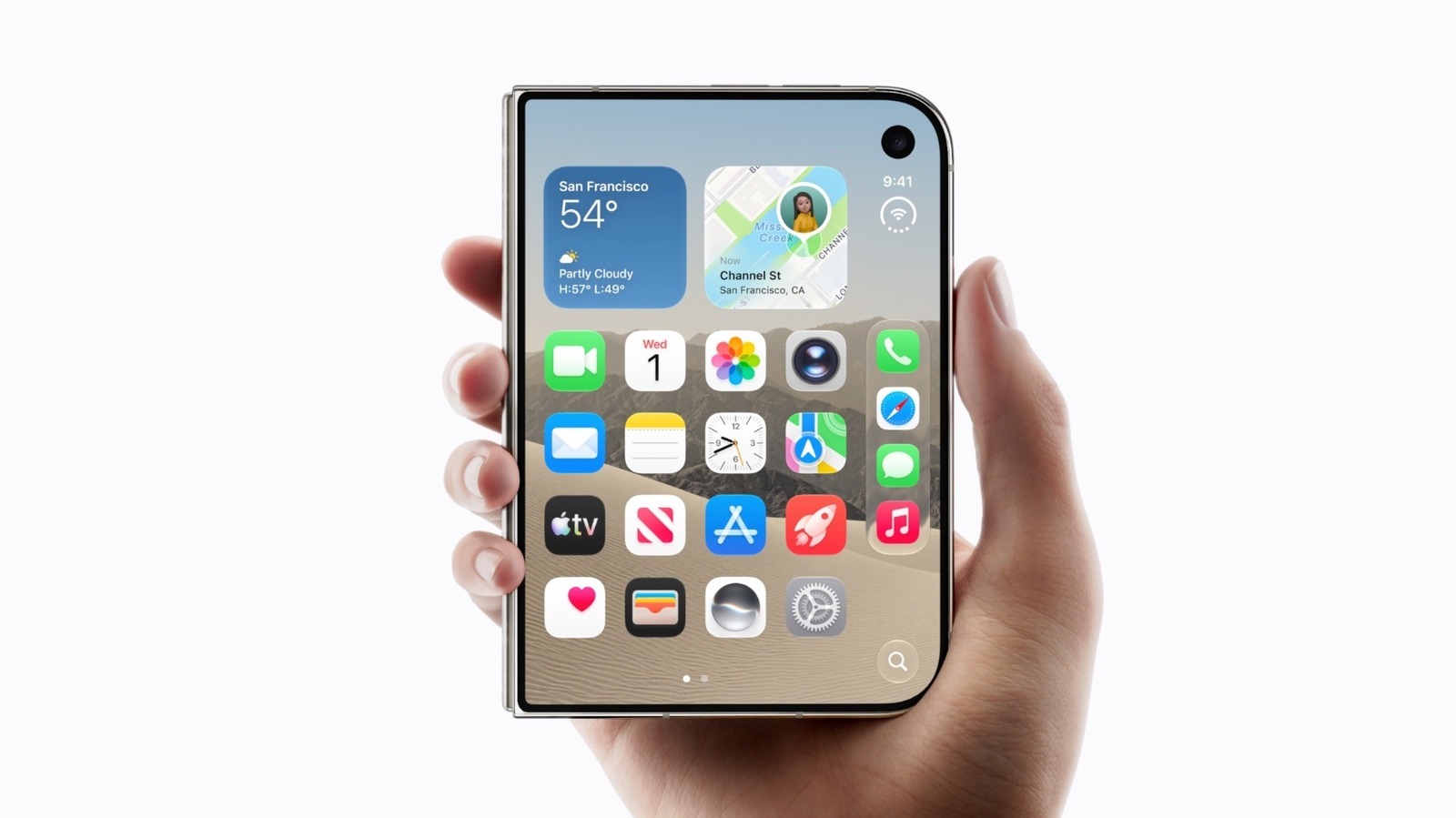
Apple finally has a foldable iPhone: the iPhone Duo is arriving in October , and it changes the shape of the device in a way we haven't seen before. But the fold is only part of the story, as Apple has built many features specifically for this form factor. It's still iOS underneath, but not the way you're used to.
The interface has been revamped to take advantage of the new screens: apps can run side by side and Apple Pencil now works on the iPhone . If you go for an iPhone Duo, you'll be able to explore a set of software features that aren't available on the regular models.
Perhaps the most notable change is in multitasking. While iOS has offered a way to keep multiple apps running since iOS 4, it's never been iPad-level multitasking . The iPhone keeps recent apps suspended in the background so you can switch between them without losing your place, but there has never really been a way to use two apps at the same time until now. iPhone Duo is the first iPhone with iPad-inspired multitasking . It doesn't have the full Stage Manager with floating windows, but you can open two apps side by side on the inner screen.
The entire iOS interface has been optimized for the Duo. Small details, like keeping your Home Screen accessible on one side of the inner screen while apps run on the other side, make all the difference. It's easy to pick the two apps you want to run side-by-side, while some can also take advantage of the larger inside display.
The status bar also looks quite different. Instead of sitting at the top, it's now on the right side and features redesigned elements. Cellular signal, Wi-Fi and battery indicators are now grouped together to save screen space. That right side of the screen also holds the Dock and Dynamic Island.
The device's foldable form factor also introduces new ways to use the iPhone. Fold it in half and watch iOS take on a new form, putting inputs (like the keyboard) on the bottom half while the app content can shine on the top half. It's perfect for watching videos with your iPhone sitting on the table. Thanks to hinge awareness, interactable elements are moved away from the crease when tapping them might be difficult. Or, put the iPhone Duo into "tent" mode to turn it into a table clock — it even lights up the inner screen when an alarm goes off.
The new device format also enables many fresh camera features exclusive to the iPhone Duo. Smart Take is one of the most interesting: it uses AI to take photos of you when you strike a pose. There's no need to press any buttons or set a timer. You can also use the external screen as a live camera preview, which is perfect for filming yourself with the rear camera or helping someone pose for a photo.
There's a "Kid Cue" mode that shows a Snoopy animation on the external screen so your kids will look at the camera while you take a photo. It's akin to the "Made You Look" feature on the Pixel 9 Pro Fold and newer, which parents will certainly appreciate. And on FaceTime, you can show both your front and rear cameras — bringing other nearby people into your call becomes much easier with video on the external screen.
Read Full Story at Engadget →