What's the difference between the Apple Pencil USB-C Vs Pro?
Since its introduction in 2015, the Apple Pencil has grown into an indispensable gadget for its users. Die-hard fans will tell you that the stylus has revolutionized how they use their tablet, expand…
Since its introduction in 2015, the Apple Pencil has grown into an indispensable gadget for its users. Die-hard fans will tell you that the stylus has revolutionized how they use their tablet, expanding the creative possibilities and maximizing their iPad experience. With four generations of the product on the market, however, it's understandable that customers have some reservations about finding the Apple Pencil that is right for them.
Deciphering the Apple Pencil lineup can be tough. One reason for the difficulty is that Apple sells four generations of styluses whose differences aren't very visually apparent. For instance, the two most recent iterations, the Apple Pencil Pro and Apple Pencil (USB-C), sport similar dimensions. Moreover, both styluses look fairly similar beyond the latter's USB-C charging port. From a functionality perspective, both offer a high-end stylus experience, delivering "pixel-perfect precision" with low latency rates. Add a hover feature that allows you to preview your stylus' markings and tilt sensitivity that enables shading and other visual effects, and both Apple Pencils deliver a polished experience capable of taking your iPad usage to new heights.
With that said, which generation of Apple Pencil you choose can have a major effect on your experience. Although both models are capable styluses, the Apple Pencil Pro offers several feature upgrades that may be worth considering. Of course, these enhancements come at a price. As it stands, the Apple Pencil Pro is $50 more expensive than its Apple Pencil (USB-C) counterpart, with models retailing for $129 and $79, respectively.
Whether its enhanced features are worth the extra cash will likely depend on your intended usage. If you are a student who just needs the stylus to take notes in class, then the standard Apple Pencil will likely fulfill most of your needs. But artists and creatives looking for an Apple Pencil that delivers a greater sense of control may find Apple Pencil Pro to be well worth the cash. Which you choose will likely depend on your budget, iPad model and daily usage. And if it weren't confusing enough, EU regulations may force Apple to institute a refreshed lineup featuring replaceable batteries . For now, however, let's compare the latest models to decide if upgrading to an Apple Pencil Pro is right for you.
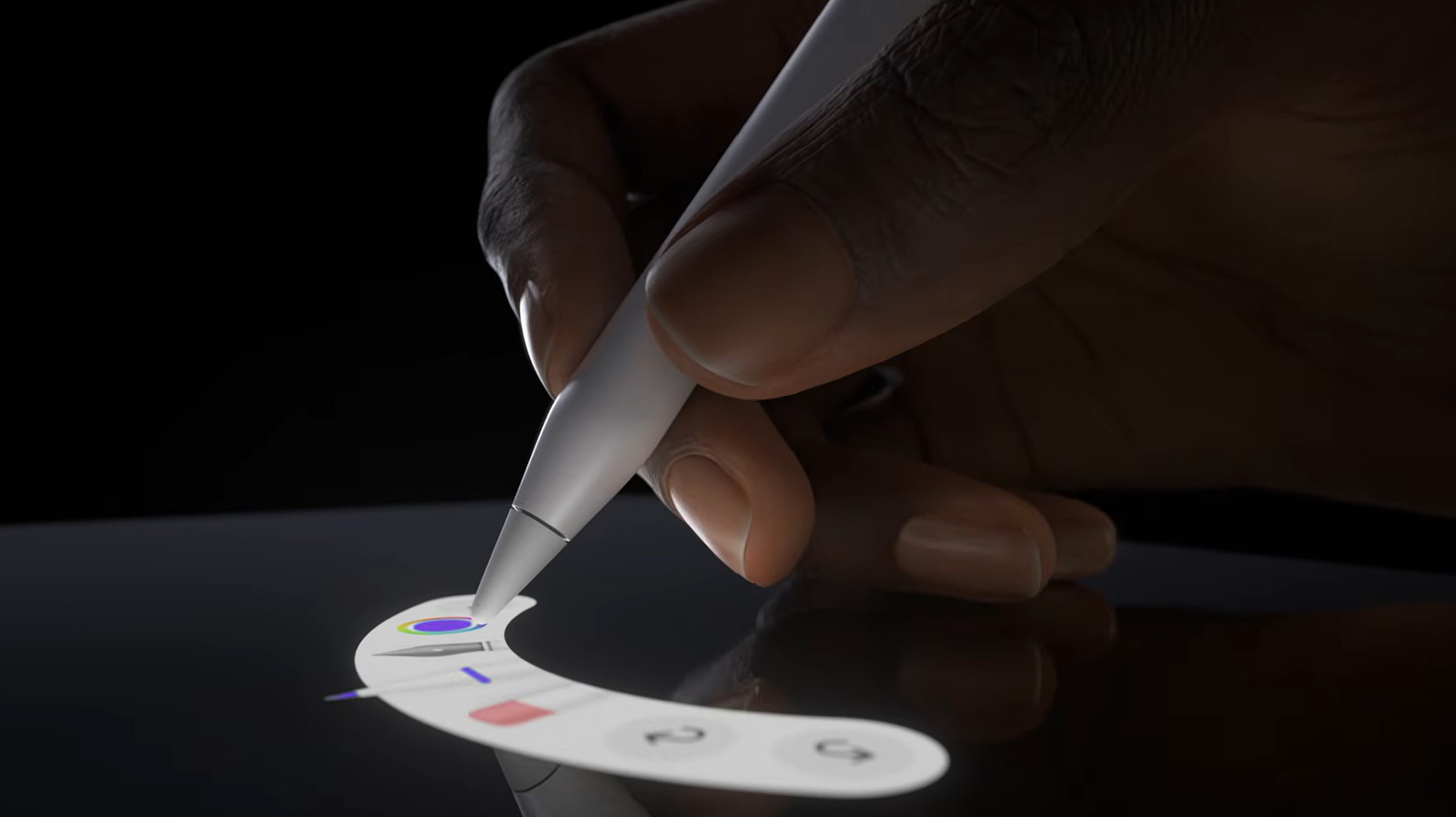
The Apple Pencil Pro enables you to enjoy several advanced features that may enhance your stylistic experience. One example is the stylus' heightened pressure sensitivity, which allows you to adjust the thickness and darkness of lines based on the pressure you place on the pen while you write. Another feature, dubbed "Barrel Roll," enables you to shift the orientation of your brush tools. By simply rotating the barrel while you draw, the pen will mimic the changing orientation of a paintbrush. This feature uses a gyroscope to give you greater control over your pen's markings.
Another useful add-on is the pencil's squeeze functions. With the Apple Pencil Pro, users can switch between creative tools by squeezing the pen's body. This action opens up a palette, allowing users to seamlessly switch between colors, line weights and brushes. You can also make these changes by utilizing the pen's double-tap feature, in which tapping its base twice in quick succession moves you between mediums, such as switching from a pen to an eraser and back again. Many of these features are supported by the pen's haptic feedback system, which issues slight pulses through the pen's body to confirm its execution of a squeeze or double tap.
In addition to these creative features, the Apple Pencil Pro adds several elements that make using the pencil more convenient. For instance, users can now charge their Apple Pencil wirelessly whenever they magnetically attach it to their tablet's side. This means that you won't have to worry about plugging in another gadget every evening. Instead, the Apple Pencil Pro is stored and charged the same way, removing yet another barrier between you and your creations.
Another logistical change is that your Apple Pencil Pro can now integrate with your Find My app, allowing you to easily find your stylus if you misplace it. Apple also enables you to engrave your Apple Pencil Pro for free, further preventing any questions of mistaken identity. No word if the engineering team in Cupertino has figured out how to stop their products from hiding out in the creases of your couch cushion.
Read Full Story at Engadget →