How to use Samsung's new My FanCam feature to make yourself the main character in your videos
My FanCam works after you record, turning a wider group video into a tighter tracking shot around one person. Samsung's My FanCam is built for videos where several people are moving through the fram…
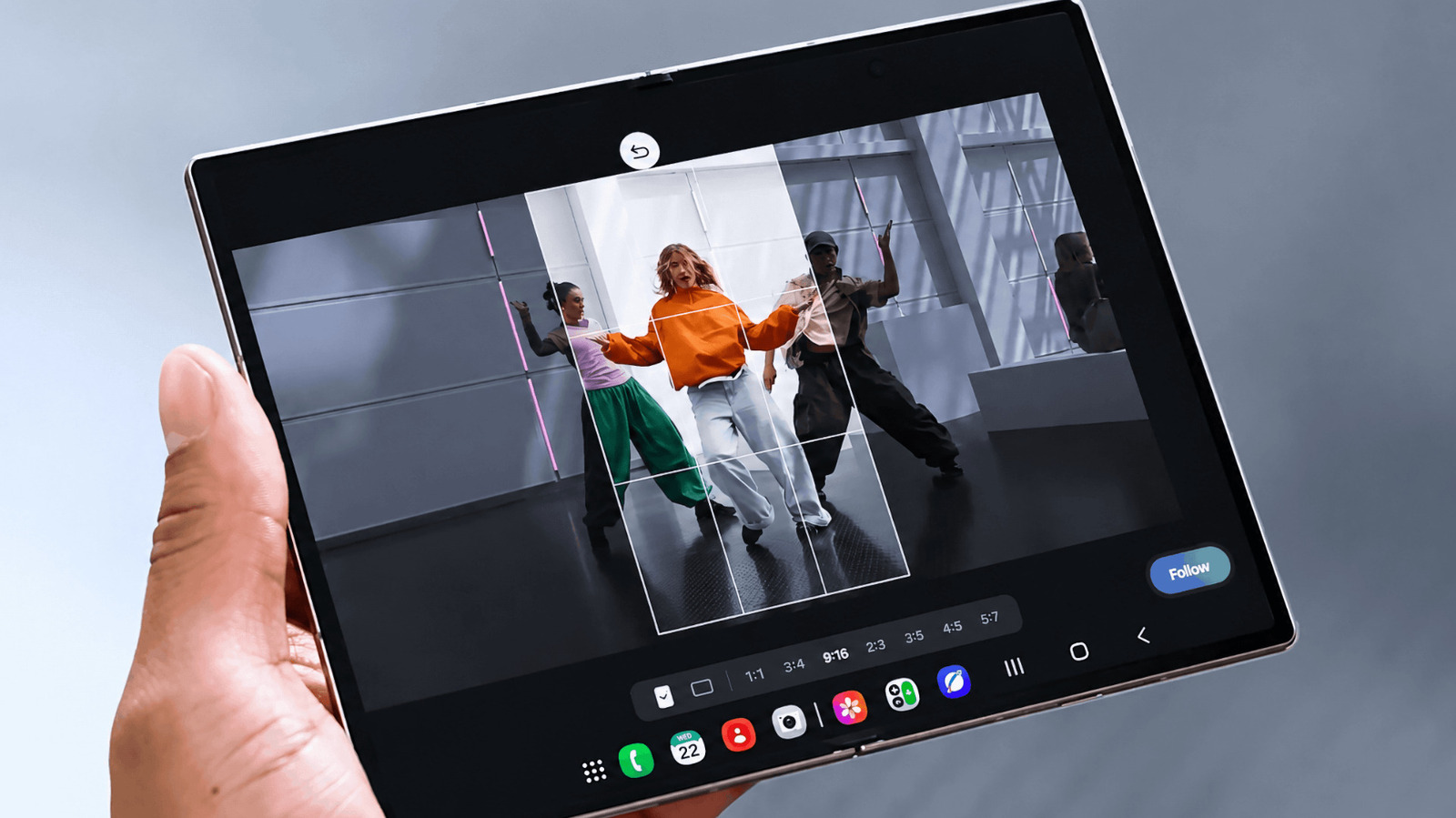
My FanCam works after you record, turning a wider group video into a tighter tracking shot around one person.
Samsung's My FanCam is built for videos where several people are moving through the frame. Instead of trying to keep one person centered while you're recording, you can capture the wider scene and choose your subject afterward. Galaxy AI then reframes the existing footage around that person in an aspect ratio you select.
Samsung introduced the feature on the Galaxy Z Fold8 lineup . Because My FanCam works on a video you've already recorded, there's nothing special you need to turn on before shooting.
My FanCam lives in Samsung's Gallery editing tools. On a supported device, start with a video that contains the person you want Galaxy AI to follow.
Open Gallery and select the video you want to edit. Then, tap the Galaxy AI icon and select My FanCam. Wait for Galaxy AI to identify the people in the video and select the person you want to follow. Next, choose an aspect ratio for the new clip. Finally, tap Follow to create the reframed video.
The aspect-ratio choice is useful if you already know where the finished clip is going. A vertical crop makes more sense for platforms built around portrait video, while a wider frame may work better if you want to keep more of the original scene visible. My FanCam handles the tracking either way, so you can make that decision after you've recorded the footage.
My FanCam differs from Samsung's Auto framing feature in one important way. Auto framing adjusts the composition while you're recording, while My FanCam does its work afterward. That gives you more freedom to capture the whole scene first, but it also means the feature can only reframe footage that made it into the original recording.
Imagine recording a school performance, a soccer game or a group dance. Rather than constantly moving the phone to keep one person centered, you can keep more of the scene visible and decide who you want to focus on when you edit the clip later.
Read Full Story at Engadget →


