How to track prices with Safari's Notify Me tool on iPhone, iPad and Mac
Get an update every time a price drops or a product comes back in stock. One of the features in Apple's iOS 27 update that you may have missed is Safari's new Notify Me tool. Designed for things lik…
Get an update every time a price drops or a product comes back in stock.
One of the features in Apple's iOS 27 update that you may have missed is Safari's new Notify Me tool. Designed for things like product restocks and price drops, it can send you a notification when it detects a particular change on any website.
As well as the iPhone, Notify Me is available in iPadOS 27 and macOS 27 Golden Gate , too. It works directly inside Safari, so there's no need to install any third-party apps or browser extensions. It also isn't limited to product changes or price fluctuations, allowing you to use it for things like concert ticket availability, tour dates, news stories on a particular topic or anything else you can imagine.
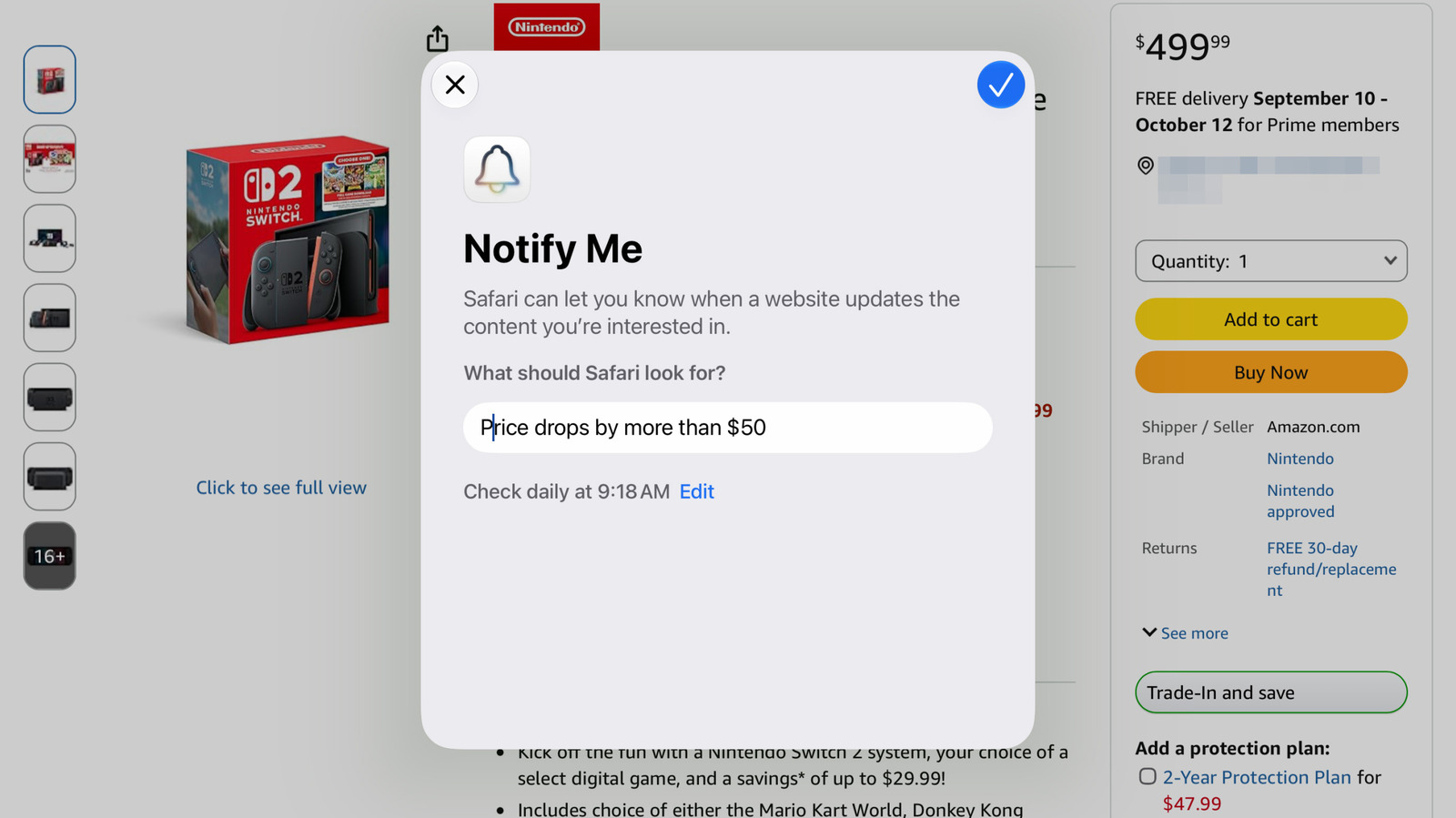
Tell the tool, using a simple description, what you want it to watch for and choose how often you'd like it to check the page. Notify Me should be able to handle the rest without you lifting a finger.
Setting it up is easy. Tap or click the three horizontal lines on the left side of Safari's address bar. Select Notify Me and a pop-up will appear, asking you to describe the changes you want it to monitor.
After that, select the blue edit button to set the exact time it polls for changes and whether you'd like it to check in hourly, daily, weekly or monthly intervals. Once the blue checkmark appears in the upper right, you can confirm the Notify Me alert.
If you haven't set up notifications for Safari, you'll be prompted to do so. Since the feature runs on the device, not in the cloud, make sure you're setting it up on the device where you'll most likely see the alert. If you have an iPhone that always travels with you, it would make sense to set it up on that.
What if you want to delete it or make changes? You can do so by visiting the same page and selecting Edit in the banner at the top. Alternatively, go to Settings > Safari and scroll down to Notify Me near the bottom.
Read Full Story at Engadget →